产品功能

应用市场介绍

TaSe Accounting is a simple and easy-to-use accounting application that can help users easily record their daily income and expenses, manage monthly spending limits through budget settings, manage multiple wallets, quickly master their asset information, and better manage their financial situation.


Features:

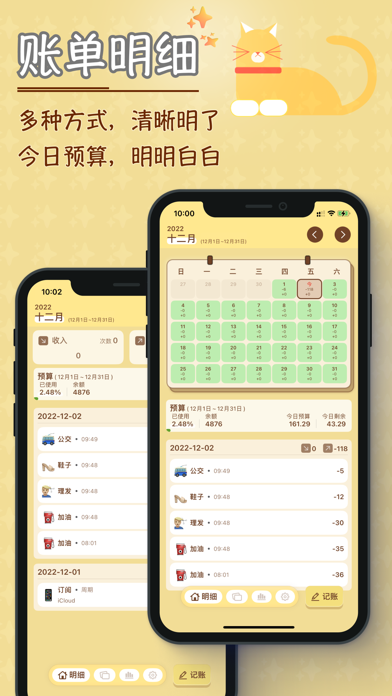
- Detail View:

Provides multiple viewing methods, and there is always one that suits you.

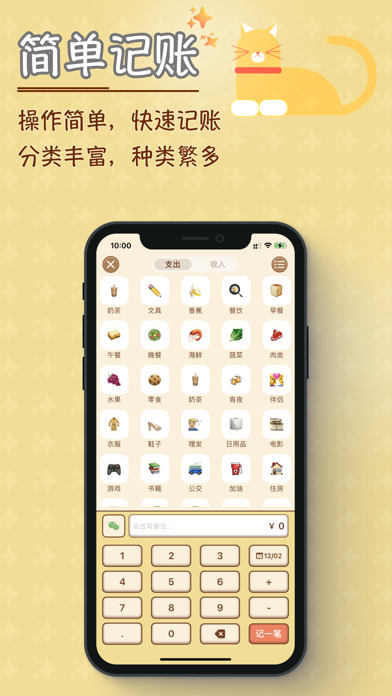
- Simple Accounting:

Simply and quickly record your income and expenses, and you can also add pictures to capture that moment.

- Quick Automatic Accounting:

With pre-set accounting categories, quickly and automatically record accounts by clicking on the widget on the desktop, eliminating the need to record each transaction one by one.

- Monthly Start Date Setting:

Convenient for users who need different accounting periods.

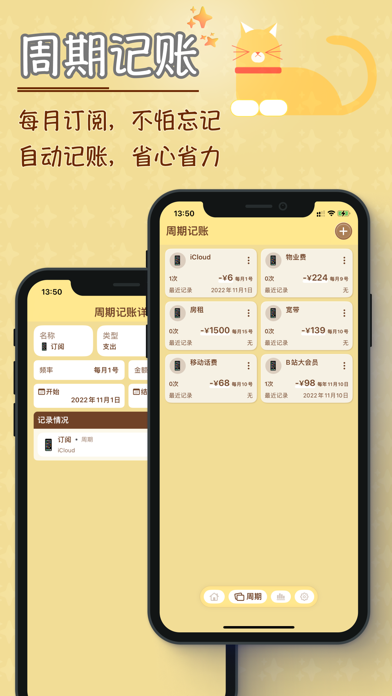
- Periodic Accounting:

Supports recording periodic expenses such as subscriptions and installments, with automatic accounting, so you don't have to worry about forgetting.

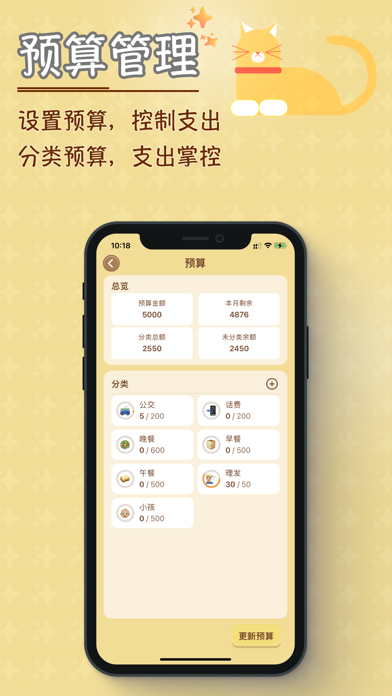
- Budget Management:

Set a budget for each month to constantly remind yourself to control your spending.

- Budget Classification:

Add budgets for each category to strictly manage various category expenses.

- Wallet Management:

Add multiple wallets, synchronize with actual assets, and have a clear view of the asset situation.

- Multi-Currency Support:

Supports multiple currencies, and the synchronization also supports automatic exchange rates, updated daily.

- Accounting Reminder:

By setting multiple reminder dates, you won't miss daily accounting and can cultivate the habit of daily accounting.

- Trend Analysis:

Provides statistical trends in various dimensions, facilitating your understanding of income and expenses, better planning for next month's expenses, and quickly understanding your asset situation.

- Lock Screen Protection:

Protect your data from being viewed randomly.

- Color Scheme:

Multiple color schemes are available to define your own theme.

Data Synchronization:

Free support for iCloud synchronization across multiple devices.

Subscription and买断:

1. Certain functions of TaSe require unlocking the premium membership to be fully used. You can choose to unlock all functions in three ways: monthly, annually, or by buying out.

2. When choosing to subscribe monthly or annually, at the end of each subscription period, it will default to auto-renewal unless you explicitly cancel the auto-renewal yourself. You can cancel the auto-renewal function through Settings -> Apple ID -> Subscription page.

3. Buying out is a one-time unlock for lifetime use. When you choose to buy out, you can use the premium functions indefinitely without having to pay again.

Automatic Subscription Service Instructions

1. Subscription Services

TaSe Accounting Monthly Continuous Subscription, TaSe Accounting Annual Continuous Subscription

2. Subscription Prices

The monthly continuous subscription product is 5 yuan/month, and the TaSe Accounting annual subscription product is 30 yuan/year.

3. Payment

After the user confirms the purchase and makes the payment, it will be recorded in the iTunes account.

4. Auto-Renewal

The Apple iTunes account will be deducted within 24 hours before the expiration. After the deduction is successful, the subscription period will be extended by one subscription period.

5. Closing the Service

You can go to "Settings" on your Apple phone --> enter "iTunes Store 与 App Store" --> click "Apple ID", select "View Apple ID", enter the "Account Settings" page, click "Subscriptions", and manage the automatic subscription service. If you want to cancel, close it 24 hours before the end of each billing cycle, and there will be no further deduction within 24 hours before the expiration.

6. Service Agreement

Terms of Use: https://tyrant2013.github.io/tyrant.github.io/TermsOfUse.html

Privacy Policy: https://tyrant2013.github.io/tyrant.github.io/privacy.html

We value your ideas, feedback, and suggestions. Contact us:

Twitter: https://twitter.com/Elliot_iOS

Email: knowtimefeeback@163.com

Weibo: https://weibo.com/u/1862433935

收起

用户评价

立即分享产品体验

你的真实体验,为其他用户提供宝贵参考

宝石
评论可得 100 宝石
宝石随心兑换应用高级会员,每周更新 前往查看 >>
活动动态 0 人参加
查看更多评论