Enjoy desktop-like image editing in a minimalistic workflow and design.
The familiar experience of OS X Preview for iPad and iPhone.
The purpose of this application is to make photo editing more easy and straightforward.
Preview mini is optimized for iPadOS. It leverages your iPad and its transition to a real desktop-like system. The selection and editing of image parts work completely the same. Install the Preview app for iOS on your iPhone and take this essential image editing tool wherever you go.
*** FEATURES ***
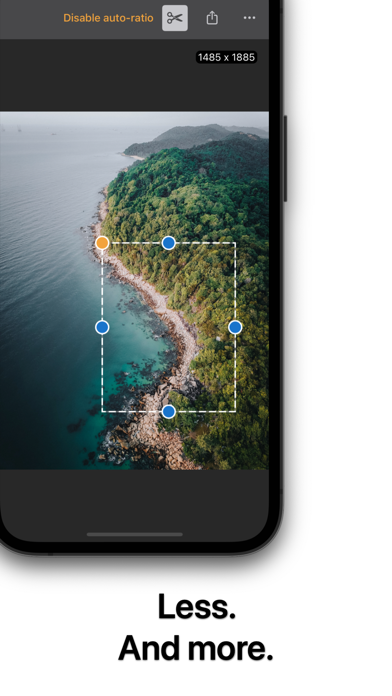
SNIPPING MODE
Copy and paste parts of images. Resize, crop, cut, and drag your selection. Apply auto-ratio sizing. Put parts aside and reuse them later in your workflow. All packed into the familiar UI pasteboard experience of your iOS device.
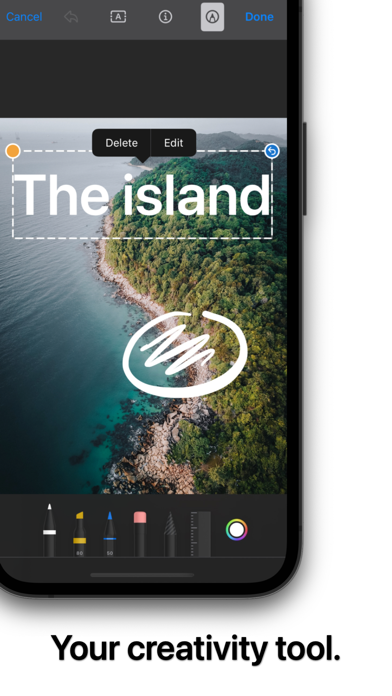
ADD TEXT
Add text onto your image by simply dragging the text selection to the place you want it to be. The app also supports bold and italic attributes. Pick any text color you want by using the familiar iOS color picker. Text layers can be edited with the same workflow as offered by the snipping mode.
DRAWING MODE
Packed with the familiar iPadOS tool picker you are ready to go to add drawings and scribbles to your image. Use the inking tools, lasso, ruler, and eraser. The undo workflow is aligned with the specifics of your device. The iPhone version ships an undo button and the iPad one comes along with the native undo/redo kit.
ROTATE / MIRROR / RESIZE
The buttons for ro...

 +100宝石


 分享
分享






















用户评价
立即分享产品体验
你的真实体验,为其他用户提供宝贵参考
💎 分享获得宝石
【分享体验 · 获得宝石 · 增加抽奖机会】
将你的产品体验分享给更多人,获得更多宝石奖励!
💎 宝石奖励
每当有用户点击你分享的体验链接并点赞"对我有用",你将获得:
🔗 如何分享
复制下方专属链接,分享到社交媒体、群聊或好友:
💡 小贴士
分享时可以添加你的个人推荐语,让更多人了解这款产品的优点!
示例分享文案:
"推荐一款我最近体验过的应用,界面设计很精美,功能也很实用。有兴趣的朋友可以看看我的详细体验评价~"
领取结果