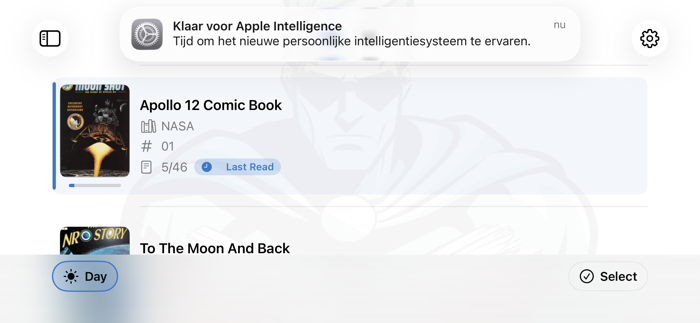
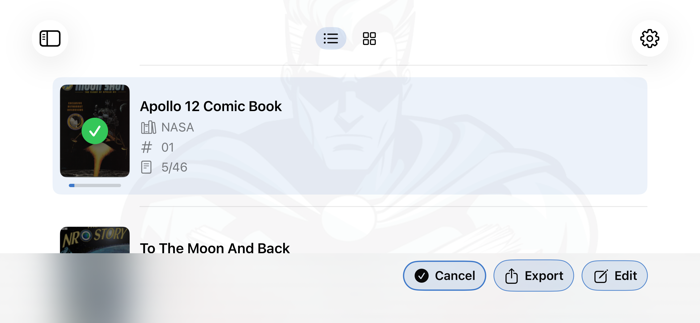
Add your purchased or scanned comic books to Comic Scroll from the Files document browser, AirDrop, a Mac, or another iPadOS app.
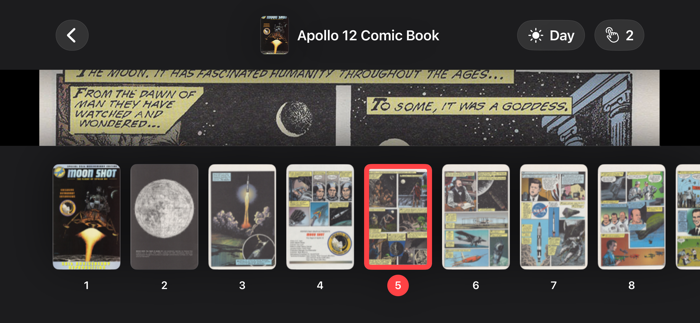
Read in landscape to make every page as large as possible, with portrait supported when you need it. Pages scale to use the full width of your device, and you can zoom out whenever you want to fine-tune the fit.
Navigation is simple: tap near the bottom of the screen to move one page down, tap near the top to move one page up, and tap the center or long-press to open the reader menu.
Supported file types: PDF, CBZ, CBR, RAR, ZIP
Supported languages: English, Dutch, French, German, Portuguese, Arabic, Chinese (Hong Kong), Italian, Swedish, Turkish, Spanish, Chinese (Simplified), Chinese (Traditional), Croatian, Czech, Danish, Finnish, Hebrew, Hindi, Greek, Hungarian, Indonesian, Japanese, Korean, Malay, Norwegian, Polish, Romanian, Russian, Slovak, Thai, Ukrainian, Vietnamese, and Catalan.


 +100宝石

 分享
分享












用户评价
立即分享产品体验
你的真实体验,为其他用户提供宝贵参考
💎 分享获得宝石
【分享体验 · 获得宝石 · 增加抽奖机会】
将你的产品体验分享给更多人,获得更多宝石奖励!
💎 宝石奖励
每当有用户点击你分享的体验链接并点赞"对我有用",你将获得:
🔗 如何分享
复制下方专属链接,分享到社交媒体、群聊或好友:
💡 小贴士
分享时可以添加你的个人推荐语,让更多人了解这款产品的优点!
示例分享文案:
"推荐一款我最近体验过的应用,界面设计很精美,功能也很实用。有兴趣的朋友可以看看我的详细体验评价~"
关注 Mergeek 公众号
领奖遇到问题?联系小门助手