


爱笔思画 X
高性能绘画应用程序
- 创作者
- ibis inc.
- 平台
- AndroidiOS
ibis Paint X是一款全能型绘图应用,拥有超过47,000种画笔、21,000种材料和2100多种字体,支持27种图层混合模式及84种滤镜。它具备绘画过程记录、描边稳定、多种标尺(如径向线标尺、对称标尺)及剪贴蒙版功能。通过OpenGL技术实现流畅操作,同时提供丰富的绘图教程和SNS分享功能,帮助用户提升绘画技巧。此外,它还支持将绘画过程保存为视频,让用户创作更加便捷。

高性能绘画应用程序
ibis Paint X是一款全能型绘图应用,拥有超过47,000种画笔、21,000种材料和2100多种字体,支持27种图层混合模式及84种滤镜。它具备绘画过程记录、描边稳定、多种标尺(如径向线标尺、对称标尺)及剪贴蒙版功能。通过OpenGL技术实现流畅操作,同时提供丰富的绘图教程和SNS分享功能,帮助用户提升绘画技巧。此外,它还支持将绘画过程保存为视频,让用户创作更加便捷。
点击查看界面细节

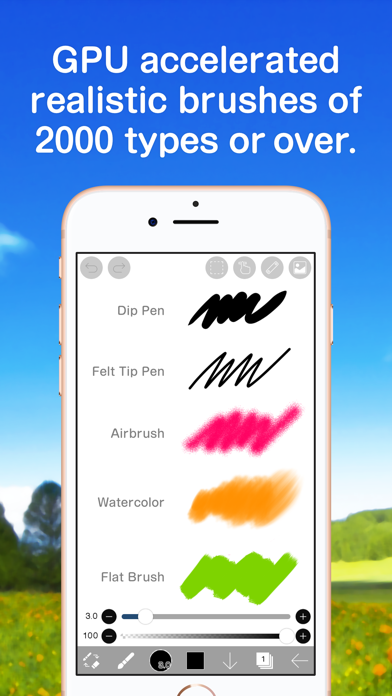
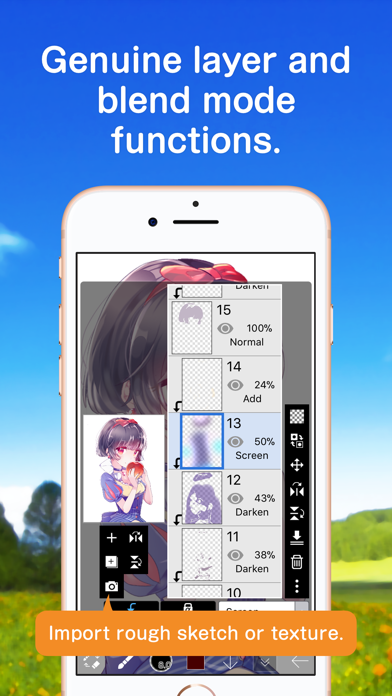
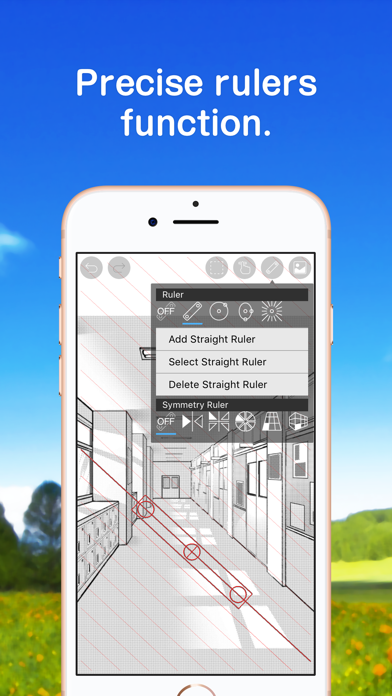
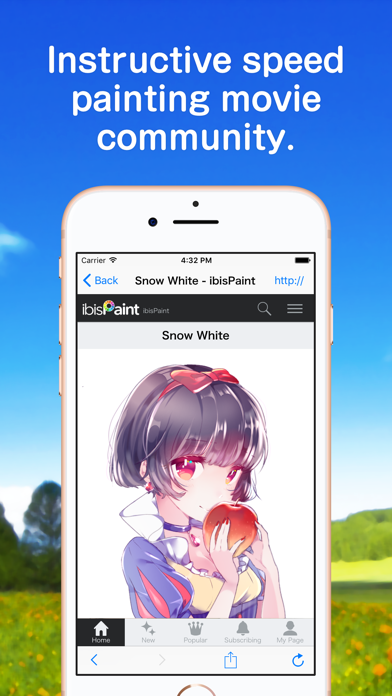
ibis Paint X 是一款流行的多功能绘图应用程序,作为一个系列,总下载量超过 5 亿次,它提供了 105,000 多种画笔、29,000 多种材料、3,000 多种字体、84 种滤镜、46 种网纹、27 种混合模式、记录绘图过程、描边稳定功能,各种标尺功能,例如径向线标尺或对称标尺,以及剪贴蒙版功能,矢量工具,动画功能,AI学习干扰,等等专业功能一应俱全!!
*绘制讲座YouTube频道
绘图课程在YouTube频道上,我们分发了许多使用ibis Paint的有用方法。
请注册。
https://youtube.com/ibisPaint
*概念·特点
- 真正的绘图应用程序超越PC插图软件!
- 使用OpenGL技术,平滑,高速操作感觉愉快!
- 能够将绘画过程存储为视频!
- 使用SNS功能绘图应用程序,以了解如何绘制图片!
*用户的声音
我们收到了很多用户的快乐声音。
- 我认为到目前为止,我不能用智能手机拍出漂亮的照片!
- 最易于使用的绘图应用程序!
- 我没有Mac / PC,但现在我可以画数字图片了!
*功能
在专注于在绘制图片的过程中共享视频的同时,我们还增强了作为绘图应用程序的功能。
[刷机功能]
- 平滑,最大120 fps刷
- G笔,笔,数码笔,气刷,圆刷,平刷,铅笔,油画颜料,木炭,蜡笔,邮票等超过105,000种画笔图案
- 各种画笔参数,例如开始/结束厚度、开始/结束不透明度和初始/最终画笔角度
- 快速滑块,刷子厚度和刷子不透明度准备好操作
- 可以实时检查的画笔预览
- 原创笔刷图案
[图层功能]
- 可无限添加的图层功能
- 混合模式,例如每层不透明度,alpha混合,加法,减法,乘法
- 剪切功能,便于剪裁图像
- 各种图层命令,如图层复制,从照片库导入,左/右反转,颠倒,图层旋转,移动,缩放
- 图层名称设置功能,用于图层识别
- 画质无损,自由变换线条的矢量图层
- 可随时修改滤镜效果的调整图层
[漫画功能]
- 全文工具功能,支持垂直书写,水平书写,修剪,字体选择,多文本
- 46种屏幕色调功能,如点,噪声,水平,垂直,对角线,十字,方形等。
[选择范围功能]
- 选择范围,每像素 256 级(选择层)
- 在选择范围内翻转、移动、旋转、放大、缩小
- 画笔、填充、复制图层、组合图层、移动图层、旋转、缩放,考虑选择范围
[颜色功能]
- 从调色板中选择,对注册数量没有限制,从色调圆圈中选择,从HSB中选择,从RGB中选择,丰富的颜色选择
- 通过拖放到调色板保存
- 创建、导出和导入多个调色板
- 点击并按住吸管功能
[绘图功能一般]
- 用于绘制图形等的标尺工具功能(以前的标尺,圆形标尺,椭圆标尺,浓度线标尺)
- 滤镜功能,包括亮度·对比度,色彩平衡,线条提取,灰度,渐变,模糊,渐变,动画背景,漫画背景,色差
- 材料工具功能,多的纹理和色调
- 除了各种画布尺寸,如SD,HD,X(旧Twitter)标题,明信片,可选的画布尺寸规格功能
- 画布的任意旋转功能
- 背景颜色(白色,明亮透明,深色透明)设置功能
- “取消”“撤消”功能最多100步或更多(取决于存储的可用空间。)
- 刷子,橡皮擦,指尖工具,模糊工具,填充和吸管功能
- 快速,流畅的平移和缩放功能
- 框选填色、框选擦除
- 浮动图层窗口、浮动颜色窗口
[支持的数字手写笔]
- Apple Pencil Pro
- Apple Pencil (USB-C)
- Apple Pencil(2nd generation)
- Apple Pencil
- Wacom Bamboo Sketch
- Wacom Bamboo Fineline 3
- Wacom Bamboo Fineline 2
- Wacom Bamboo Stylus fineline
- Wacom Intuos Creative Stylus
- Wacom Intuos Creative Stylus 2
- SonarPen
- XP-PEN Deco Pro SW/MW, Deco LW
- HUION Inspiroy Giano/Keydial/Dial 2
- GAOMON Gaomon WH851
[享受作品的功能]
- 我的画廊功能,以欣赏我的插图
- 绘图过程的播放功能(具有播放速度调整功能)
- 导出功能到插图静止图像(PNG / JPEG)和视频(MOV)照片库
- 绘图过程视频编码功能和上传功能
- 分享您在X(旧Twitter)或Facebook上发布的图片网址
- 评论来说明时推送通知
- 下载另一个人的插图功能(工作文件)
- 收集功能,以欣赏其他人的插图
- 通过PC和Mac的U…
Thank you for using ibisPaint X!
The summary of this update is as follows.
[New Features]
- Added the ability to customize Stabilizer and Force Fade settings individually for each brush.
- Added two Real time stabilization modes: Constant and Fast Strokes.
- Improved the brush tool’s stroke-tracking responsiveness and made the fade length consistent. You can return to the previous drawing feel from the Settings window via "Brush Prediction" . You can also configure this per brush with the brush parameter “Disable Prediction”.
- Added the brush parameters "Fade Start Time" and "Fade End Time".
- Added the ability to add audio to animation artworks.
- Added keyboard shortcuts for playing/stopping an animation and for adding and deleting clips in animation artworks.
- Added a "3D Layer" feature that lets you place 3D materials.
- Added a “Smart Shapes” feature that automatically corrects freehand drawings into “straight lines,” “Bézier curves,” and other shapes.
- Added "Relief HQ" filter to "Style" filter category.
- Added "Smart Credits" — a points system required to access some of the advanced features in ibisPaint (referred to as "Smart Features"). Credits can be purchased from each Smart feature, and your balance can be viewed in the Settings window.
- Added keyboard shortcuts for actions such as displaying the ruler and adding vector layers.
- Added keyboard shortcuts to switch between custom brushes.
- Added a "Solo Mode" feature that displays only the specified layer.
- Added a Premium feature that moves deleted artworks to “Recently Deleted Artworks” and retains them for 30 days.
- Added "Oil Paint" filter to "Artistic" filter category.
- Enhanced the Trim feature. You can now enter Position, Width, and Height as numerical values, specify a crop area that extends beyond the original canvas, and trim while rotating the canvas.
- You can now undo and redo adjustments while using the Transform Tool.
- The mouse cursor now changes depending on the situation. This setting can be changed in the "Cursor" section of the Settings window.
- When using a stylus with hover functionality, the cursor is now displayed at the hover position. This setting can be changed in the "Cursor" section of the Settings window.
- Improved the design of rulers to be less obtrusive while drawing, and added the ability to change the ruler color.
- Added "Touch History Completion", which captures more touch points (enable from the Settings window).
[Improvements, Changes]
- Added 33 new brushes including "Tilt Mesh 1", "Vintage Tilt Mesh 1", "Multi Line", "Parallel Lines (Thin)" and "Ink Bloom".
- Added new blurring shape "Brush 19".
- Added new brush patterns "Coral", "Dot Line 1", "Dot Line 2", "Double Line", "Triple Line", "Parallel Lines 1", "Parallel Lines 2", "Parallel Lines 3", "Grunge Texture" and "Layered Paint".
- Added new texture patterns "Dot Mesh 1", "Dot Mesh 2", "Dot Mesh 3", "Dot Mesh 4", "Dot Mesh 5", "Vintage Mesh 1", "Vintage Mesh 2", "Vintage Mesh 3", "Bleeding Wood Grain" and "Marble".
- A new vertical text layout method has been introduced for newly created text in the text tool.
- The colors of UI elements such as buttons now react and change in response to hovering by mouse or stylus.
- "Brush Cursor while Hovering" and "Show Cross Mark while Hovering" in the "Stylus" section of the Settings window have been renamed to "Brush Tool Cursor" and "Show Cross Mark", respectively, and moved to the "Cursor" section.
- When "Show Cross Mark" is enabled in the Settings window, the cross mark now remains visible even while drawing with the brush.
- Added the ability to resize the window height of some filters and the Transform Tool.
- In My Gallery, after tapping an artwork to enlarge it, tapping the artwork once more now opens the Canvas screen.
- Added support for importing multiple files.
etc.
For more details, see: https://ibispaint.com/historyAndRights.jsp?newsID=303340270


