We’re just checking in to let you know that we’ve heard your concerns and we’re working hard to upgrade the app and fix any existing issues. If you’re having trouble using the app, feel free to reach out to our Support Team. They can help you solve any issues you might be having: https://help.doodle.com/hc/en-us
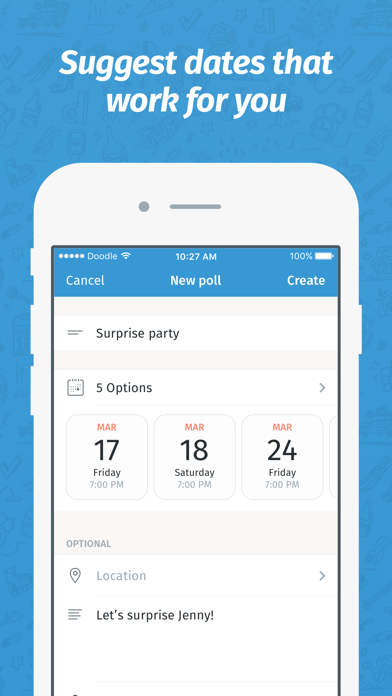
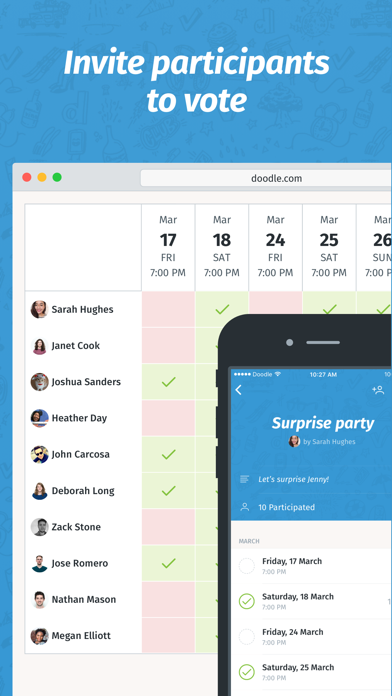
Seriously easy scheduling for any type of event—all in one app. Just pick what kind of event you want to schedule, set it up, send it to participants and let Doodle handle the rest. Say goodbye to all the back-and-forth and no-shows. The Doodle app lets you send times for appointments, team meetings, and even share your rolling availability. See who has responded or booked a time and have us automatically send the event details after booking. Doodle makes scheduling happen—without the hassle. DIFFERENT WAYS TO SCHEDULE 1. Booking Page - share your availability with a link 2. Group poll - share times with multiple people and find which time works best for everyone. 3. 1:1 - propose times to meet with one person and let them book what works best. HOW IT WORKS 1. Set up your event and choose from Booking Page, group polls, and 1:1s. 2. Add the details, location, and video conferencing if it's remote. 3. Set up your availability or add times for group polls and 1:1s. 4. Create your event and then send your Booking Page or invite to participants. They pick what time(s) work for them.
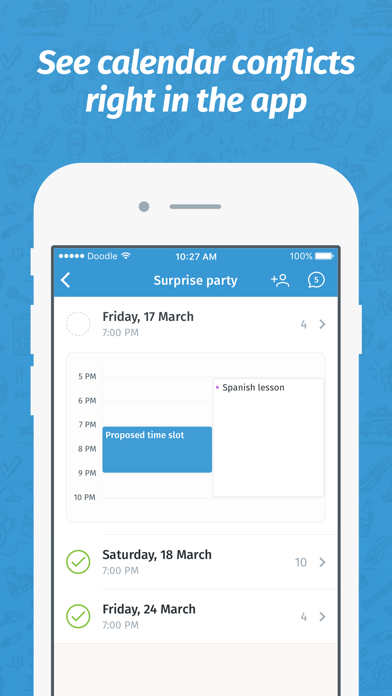
THE BEST FEATURES - Group polls: The fastest way to find the right time for a meeting without having access to people’s calendars. - 1:1s: Meet on your terms: select multiple times and let participants book what fits their schedule. - Booking pages: Let clients, co-workers, and more book time with you instantly. You define your availability. - No ads: Keep it professional for your participants with ad-free scheduling. - Custom branding: Delight your marketing team by putting your branding on every invite or booking page. -Deadlines and reminders: Get the most responses or make your invites time-limited. - Video conferencing links: Automatically add video conferencing to every booked remote meeting. HOW TO GET STARTED - Download the app and create an account. We’ll take you to our website to do this. You can also start a trial. - Take Doodle for a spin: Hit the create button (the + button) in the top right to create your first invite or booking page. - Add the times or availability and details. Create then send the link to your participants. - Is it a group poll? Make sure to close the poll after everyone has responded and we’ll email them all the details. - Automatic calendar syncing: Avoid double bookings and keep your invites and booking pages always current. LOVING THE APP? Make sure you leave a review. We’d love to hear your feedback so we can make it even better. NEED HELP? We’re here if something breaks or you can’t figure anything out. Head here for how to’s and to contact Support: https://help.doodle.com/


 +100宝石


 分享
分享











用户评价
立即分享产品体验
你的真实体验,为其他用户提供宝贵参考
💎 分享获得宝石
【分享体验 · 获得宝石 · 增加抽奖机会】
将你的产品体验分享给更多人,获得更多宝石奖励!
💎 宝石奖励
每当有用户点击你分享的体验链接并点赞"对我有用",你将获得:
🔗 如何分享
复制下方专属链接,分享到社交媒体、群聊或好友:
💡 小贴士
分享时可以添加你的个人推荐语,让更多人了解这款产品的优点!
示例分享文案:
"推荐一款我最近体验过的应用,界面设计很精美,功能也很实用。有兴趣的朋友可以看看我的详细体验评价~"
关注 Mergeek 公众号
领奖遇到问题?联系小门助手