



Folio PDF Reader & Editor
效率
- 创作者
- Adel Hashemi
Folio PDF Reader & Editor是macOS的一体化PDF工作区,让处理PDF更高效。它整合日常PDF流程,结合强大工具与专注阅读体验。功能包括AI聊天等,能与PDF交互、总结翻译等;有现代阅读体验;可编辑标记PDF;能整理页面、创建填写表单;支持OCR与翻译;还有文档整理工具。采用简洁现代界面,支持明暗模式,免费供多类人群使用。

效率
Folio PDF Reader & Editor是macOS的一体化PDF工作区,让处理PDF更高效。它整合日常PDF流程,结合强大工具与专注阅读体验。功能包括AI聊天等,能与PDF交互、总结翻译等;有现代阅读体验;可编辑标记PDF;能整理页面、创建填写表单;支持OCR与翻译;还有文档整理工具。采用简洁现代界面,支持明暗模式,免费供多类人群使用。
点击查看界面细节
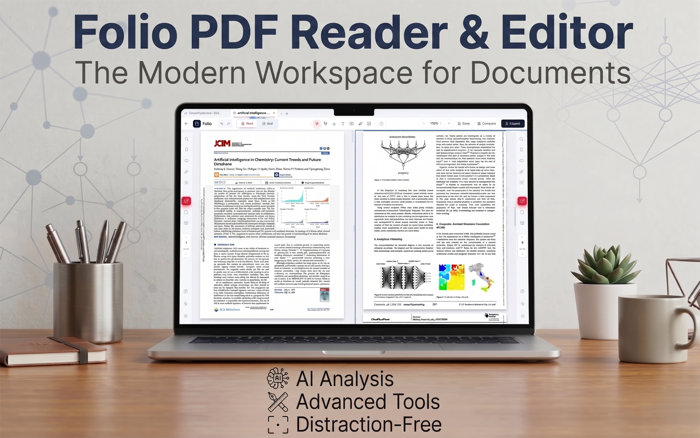
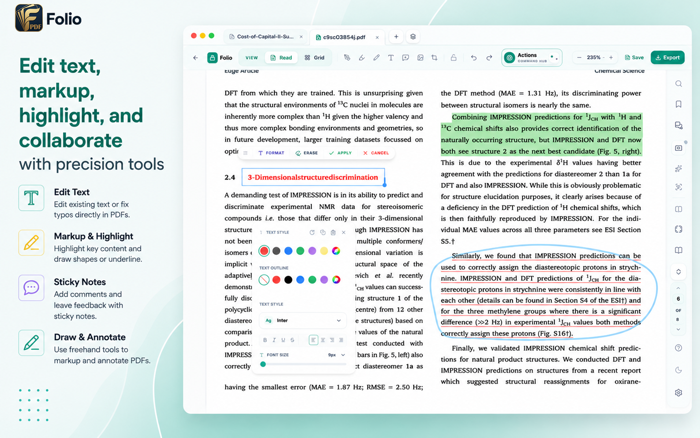


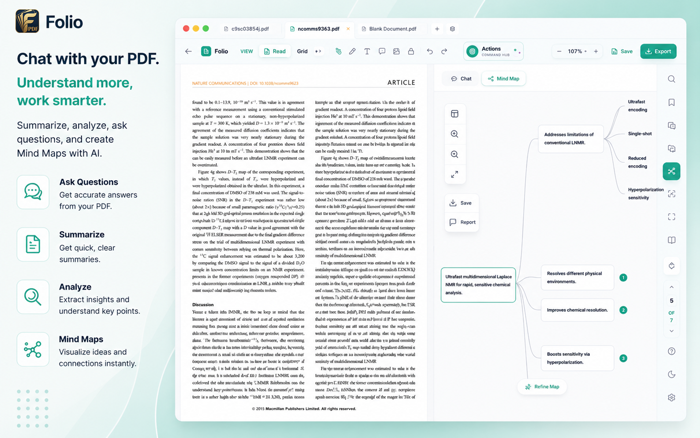


Folio is a free PDF reader and editor for iPad. Read and mark up documents, edit existing text and pictures, fill forms, place signatures and organize pages in one workspace.
READ AND MARK UP
Highlight, underline, comment and draw on PDFs. Use Book View, horizontal or vertical reading, Zen Mode, bookmarks and search for longer documents.
EDIT TEXT AND PICTURES
Correct PDF text in place. Move, resize, replace or delete pictures already in a PDF, and adjust their appearance with Auto and tone controls. Insert images, add shapes and place stamps. Crop inserted images and remove plain backgrounds. Add, edit or remove document links.
FILL AND CREATE FORMS
Fill interactive forms and place typed, drawn or image signatures, initials and dates. Create text fields, checkboxes, radio buttons and lists, with validation and calculations. Review suggested fields and add the ones you choose. Export form responses as CSV, JSON or XFDF.
ORGANIZE PAGES
Reorder, rotate, duplicate, delete and extract pages in Grid View. Merge PDFs and copy pages between documents.
COMPARE AND MULTITASK
Compare saved PDFs locally, review highlighted changes and export PDF or Word comparison reports. Read documents side by side in Split View. Open multiple Folio windows, move tabs between them and restore saved window drafts.
WORK WITH SCANS
Clean up scanned pages on your device and make English scans searchable with local OCR. Optional AI extracts and translates page text for reuse.
EXPLORE WITH AI
Optional AI helps you ask questions, create summaries and source-linked mind maps, extract tables and export generated reports to Word. Built-in AI needs an internet connection and no API key. You can also connect a compatible cloud service or local model; your provider may charge. AI receives the document content supplied for each action. Check answers against the original pages.
SAVE AND SHARE
Add watermarks, compress PDFs, apply password protection, export pages and print.
This update brings more flexible page backgrounds, more capable signing, clearer previews, and easier ways to work with PDFs:
• Custom page backgrounds: Change colors, add pattern overlays, or use PNG/JPEG images with Fit, Fill, Stretch, and opacity controls.
• Improved signatures: Create, reuse, and place signatures, initials, and dates with clearer controls.
• Certificate signing: Sign or certify PDFs with a digital ID, with options for timestamps and visible signing details.
• Clearer verification: Review signature integrity, certificate trust, and whether a document has changed after signing.
• Prepare for signatures: Add signing fields, then save a PDF to share with others.
• Easier attachment browsing: Automatically see attached files and switch between PDFs inside a portfolio without losing the file list.
• More flexible drag and drop: Insert PDFs and images directly into Read view, and copy pages between documents in split view.
还没有公开评论,欢迎分享你的体验。
Folio PDF Reader & Editor
让使用你作品的人,认识背后的你。编辑确认身份后,将为你授予入驻开发者标识。
编辑将人工核实你的资料,如需补充信息会通过所填邮箱联系你。身份确认后,由编辑为你授予入驻标识。