Picsew

Picsew

Integrated application of long screenshots, splicing, annotation, and shelling

Creator
Liming Mo
平台
iOS
效率APP

Picsew is a powerful screenshot stitching tool that supports scrolling screenshots and stitching of up to 300 pictures, is compatible with iPhone and iPad, and provides a seamless automatic stitching algorithm and manual stitching function. In addition, it also supports rich functions such as high-definition output, diverse exports, intelligent optimization, annotation and editing, making screenshot stitching simple and efficient. It fully supports barrier-free design, has no advertising interference, and has a smooth operation, making it an ideal choice for meeting various screenshot needs. Download Picsew immediately and experience the most professional screenshot stitching tool!
COMMUNITY PERKSMergeek 社区专属福利
独家限免 NEW每天发现一份惊喜
PRODUCT SCREENS / 5

点击查看界面细节

Picsew 产品截图 1Picsew 产品截图 2Picsew 产品截图 3Picsew 产品截图 4Picsew 产品截图 5

Make screenshotting easier with Picsew! One - click stitching!
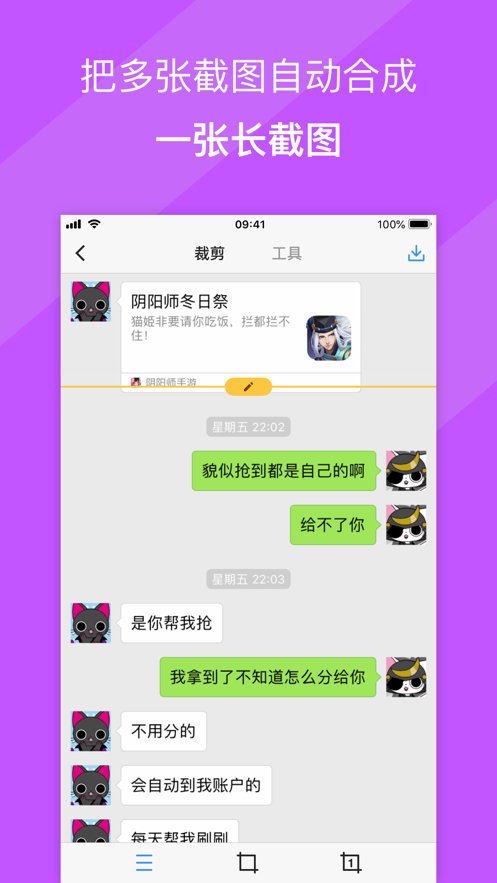
Picsew is an award - winning screenshot stitching tool, once selected as an Editor's Choice on the App Store and App of the Day. Whether it's chat records, to - do lists, information streams, comment lists, or long articles and web pages, Picsew can help you easily handle various scrolling content and make screenshot stitching easier than ever!
Core Features
• Scroll Screenshot: Automatically generate long screenshots through screen recording without taking screenshots one by one.
• Smart Stitching: Leading automatic stitching algorithm for smooth and seamless connection.
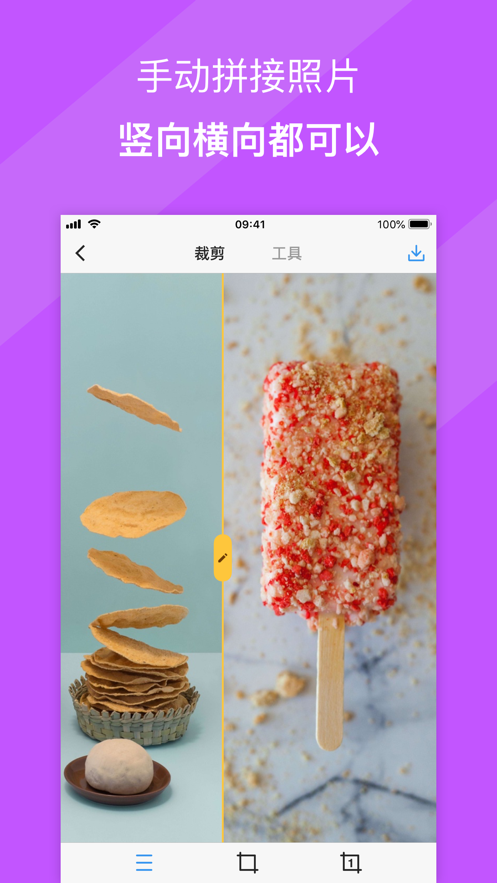
• Manual Stitching: Support vertical and horizontal stitching to freely handle complex situations.
• Photo Stitching: Not only support screenshots, but also seamlessly stitch ordinary photos into large pictures.
• Batch Processing: Process up to 300 pictures at a time, efficient and fast.
• High - definition Output: High - resolution stitching to perfectly present every detail.
• Diverse Export: Support PDF and slice exports for more convenient sharing and editing.
• Smart Optimization: Automatically clean the status bar to make screenshots more beautiful and professional.
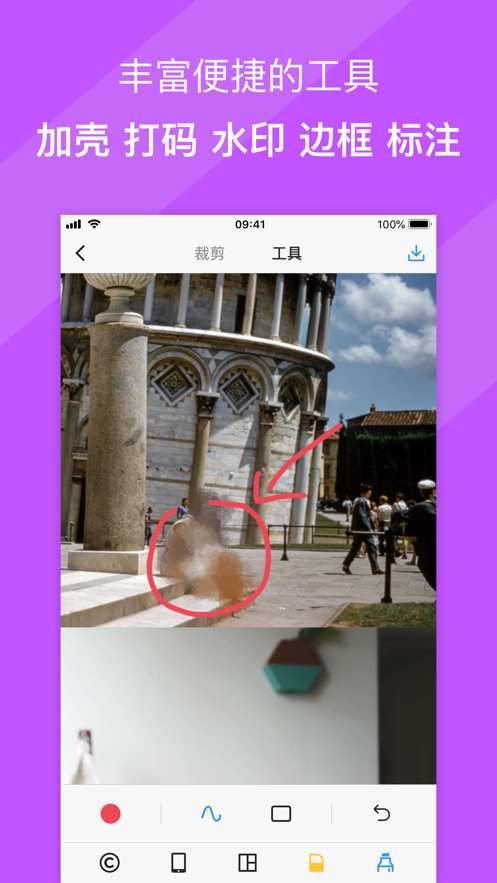
• Annotation and Editing: Add functions such as watermarking, pixelation, annotation, and shelling for easy personalized editing.
• Simple Design: No ad interference, smooth operation, minimalist interface.
• Cross - platform Support: Compatible with iPhones and iPads for a consistent experience.
• Accessibility Design: Fully support VoiceOver to provide an accessible experience for more users.
Powerful Plugin Support
• Scroll Screenshot Plugin: Generate long screenshots by screen recording, simple and fast.
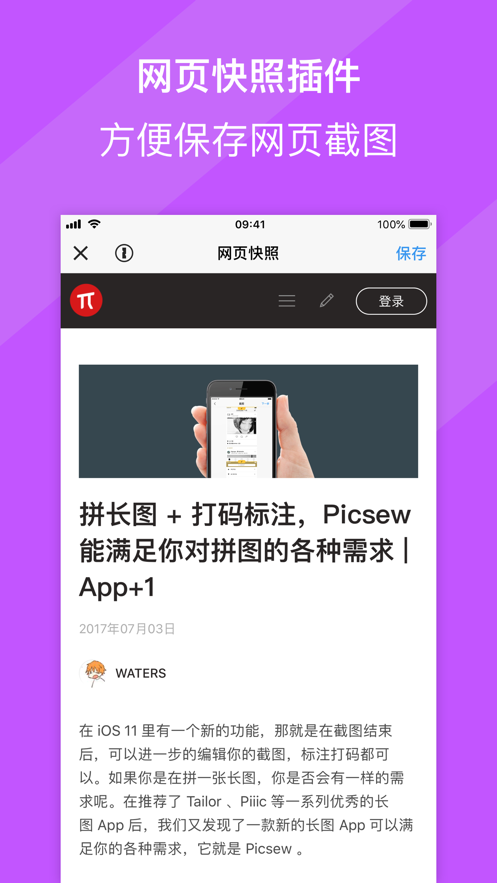
• Webpage Snapshot: One - click截取完整网页长图 (it seems there is a Chinese character here, it should be something like "capture the full - length webpage screenshot")
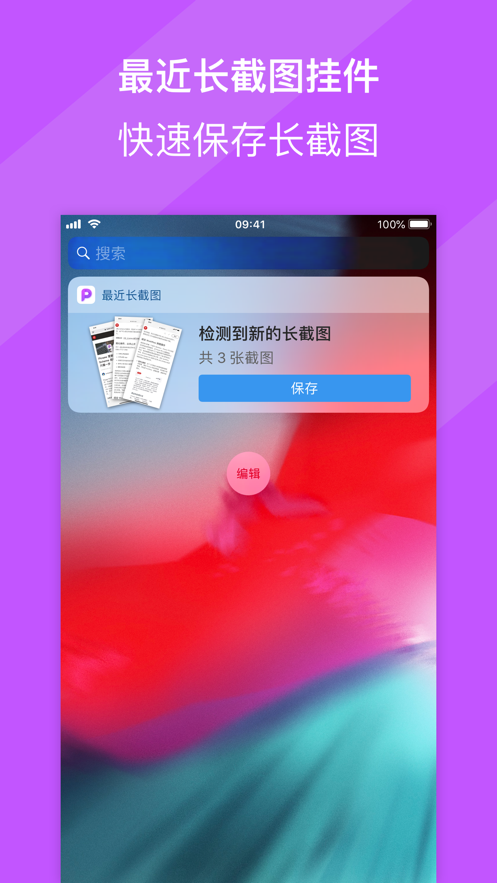
• Notification Center Long Screenshot: Stitch the recent screenshots in the notification center without opening the App.…

Liming Mo
版本

3.16.1

- 网页快照:修复了在部分网页的兼容性问题
- 修复:实验性 HEIC 导出在部分情况下的崩溃问题
- 其他细节修复与体验优化

查看完整更新记录 ↗

你的真实体验,为其他用户提供宝贵参考,获得宝石奖励

REWARD MARKET100 宝石可兑换什么?

还没有公开评论,欢迎分享你的体验。

广告
广告

提交反馈

每一个想法,都让 Mergeek 更好一点。