Zen Brush 2

Zen Brush 2

娱乐

Creator
PSOFT
平台
iOS
娱乐APP

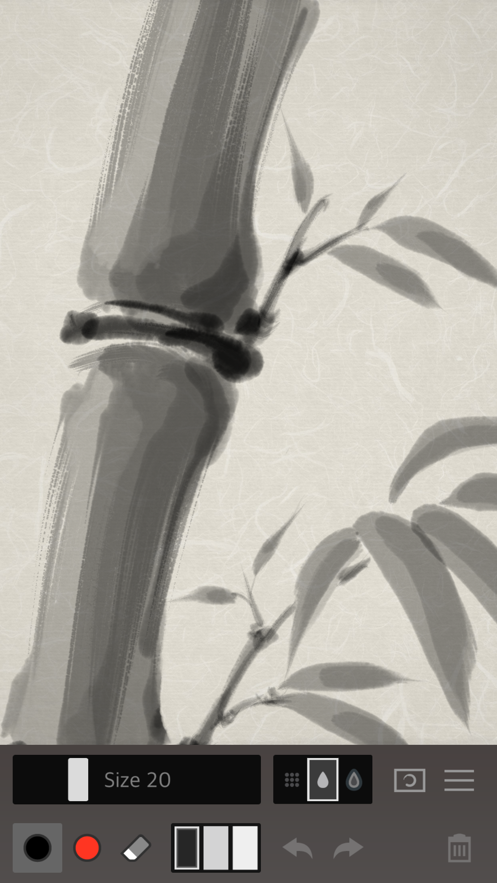
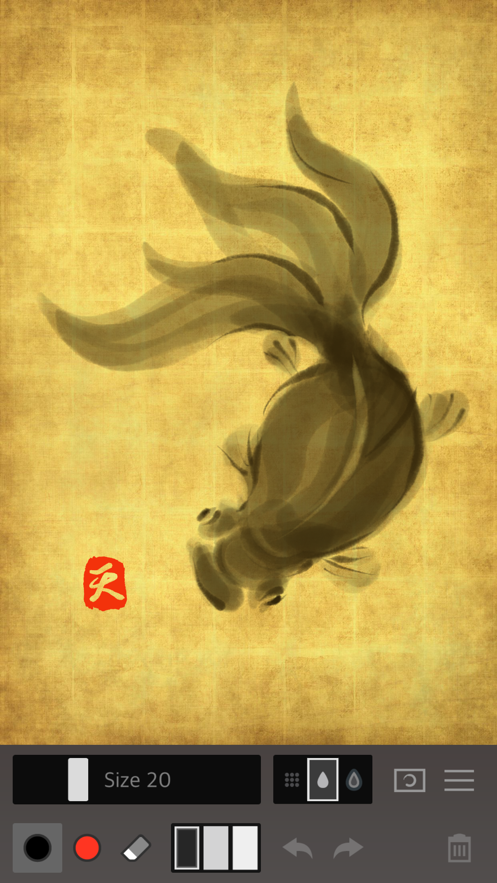
Zen Brush 2 is a painting app designed specifically for ink painting. With a powerful painting engine, it presents a smooth and fluent painting experience and the delicate performance of a writing brush. Its simple and intuitive interface contains a sense of Zen, making it suitable for creating Zen artworks. You can start painting immediately and create beautiful Zen paintings anytime, anywhere. It supports publishing to social media through the "Share" and "Open in..." functions, and also supports editing and sharing images in other apps, such as Instagram, WhatsApp, etc. After this version is upgraded, the expression is more vivid and beautiful, and a gallery function is newly added.

COMMUNITY PERKSMergeek 社区专属福利
独家限免 NEW每天发现一份惊喜
PRODUCT SCREENS / 5

点击查看界面细节

Zen Brush 2 产品截图 1Zen Brush 2 产品截图 2Zen Brush 2 产品截图 3Zen Brush 2 产品截图 4Zen Brush 2 产品截图 5

Zen Brush 2 is a drawing app focused on the strong yet beautiful feel of the East Asian ink brush.
With a new drawing engine that brings to life a feeling of silky fluent painting and the delicacy of an ink brush, providing a simple and intuitive user interface imbued with the Zen spirit, this app is designed to be optimal for performing Zen art.
Simply start the app and you are immediately ready to draw. Anyone can create superb Zen art anywhere and at any time with this app’s uniquely rich expressiveness. You can publish your work to Facebook and Twitter with the "Share" and "Open in" functions. You can also share or edit your images by opening them in other apps such as Instagram, WhatsApp, LINE, Photoshop Mix, etc.
- The next step in the evolution of the Zen Brush app which achieved more than 1.5 million downloads on all platforms combined.
- Includes a new brush engine providing an even stronger, beautiful expressiveness.
- Includes a gallery feature that makes it possible to save your work in progress.
- Includes red ink in addition to the black ink (*).
- Ink dispersion effect enables a three-dimensional feeling of depth.
* Actual colors vary depending on the template.
Features:
- 92 background style templates.
- Simple brush size adjustment with slider.
- Simple main tools: Ink brush, red brush, eraser brush.
- 3 levels of ink dispersion.
- 3 levels of ink tone.
- Canvas zoom (zoom in and out with pinch gestures).
- Guide lines (9 types).
- Undo / redo (5 levels).
- Save your work to the photo library.
- Open in other apps (Formats: JPEG, PNG, transparent PNG (no background)).
- Share artwork (Facebook, Twitter, etc.).
- Simulated finger pressure.
- Support for pressure sensitive styluses.
* Apple Pencil / Wacom Bamboo Stylus / Adonit / Scriba / SonarPen
- Support for iPad Pro.
- Support for 3D Touch.
- Adjustable brush pressure sensitivity (5 levels).
- Adjustable tilt sensitivity (5 levels).
* Requires a pen that supports tilt.
- Supports multitasking (Slide Over / Split View).
- S…

PSOFT

你的真实体验,为其他用户提供宝贵参考,获得宝石奖励

REWARD MARKET100 宝石可兑换什么?

还没有公开评论,欢迎分享你的体验。

广告
广告

提交反馈

每一个想法,都让 Mergeek 更好一点。