AirCull: Browse photos and organize your photo library

AirCull: Browse photos and organize your photo library

Swipe to delete duplicate images and screenshots, freeing up space

Creator
靖文 陈

AirCull is a restrained photo album organization tool that organizes photos in daily batches, similar to flipping through cards. It checks for similar images and screenshots on your local device, providing reference information such as quality ratings without automatically deleting anything; deletion requires your confirmation. Features include daily batch reviews, card-style organization, categorized inspection, local device analysis, pre-deletion confirmation, and recoverable content management. It is suitable for handling bursts of similar photos,集中 processing screenshots, clearing storage space without accidental deletions, and daily album maintenance. It is not a one-click cleanup tool but is better suited for gradual organization. Privacy Policy: https://www.notion.so/Notion_AirCull_Privacy_Support_CN-35d031af046380b899a4c90dbac080bf Terms of Service: https://www.apple.com/legal/internet-services/itunes/dev/stdeula/

COMMUNITY PERKSMergeek community perks
Exclusive giveaways NEWDiscover a new surprise every day
PRODUCT SCREENS / 5

Click to explore the interface

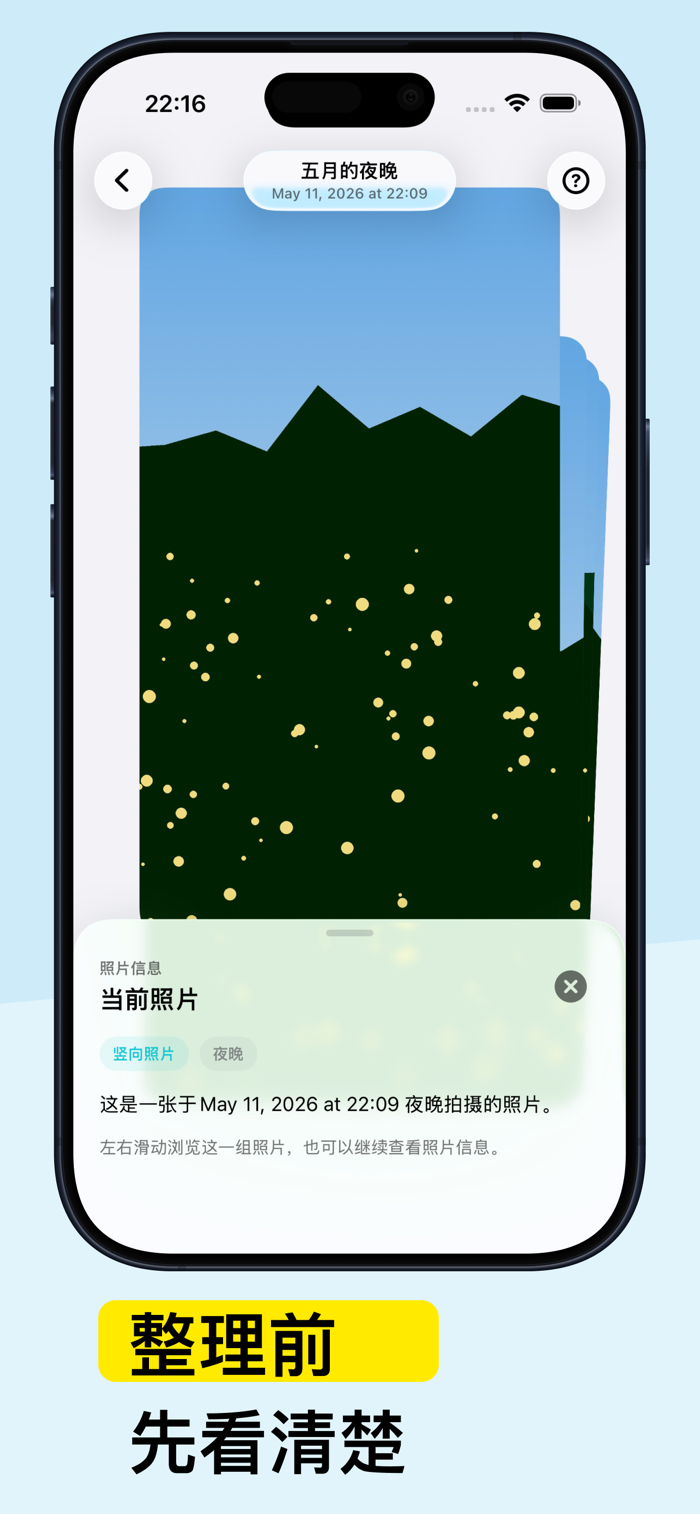
AirCull: Browse photos and organize your photo library screenshot 1AirCull: Browse photos and organize your photo library screenshot 2AirCull: Browse photos and organize your photo library screenshot 3AirCull: Browse photos and organize your photo library screenshot 4AirCull: Browse photos and organize your photo library screenshot 5

Organize your photo library without doing it all at once.

AirCull is a more restrained photo organization tool. It groups your photos into smaller, manageable tasks, allowing you to review, keep, or remove them one by one, like flipping through cards.

You can start with one set of memories per day, or batch-process screenshots, duplicates, similar images, and photos awaiting confirmation. AirCull provides reference information such as photo quality, aesthetic scores, and content types, but it will never automatically delete anything for you. Every removal requires your explicit confirmation.

Key Features

One Set Per Day Review
Start organizing with a small group of photos; you don't have to face your entire library at once.

Card-Based Organization
Swipe left or right to view photos, swipe up to mark for removal, or open the detail page to confirm.

Categorized Review
Handle screenshots, duplicates, similar images, and pending confirmations separately to reduce back-and-forth searching.

On-Device Analysis
Photo checks are performed locally on your device. AirCull does not upload your photos.

Pre-Deletion Confirmation
AirCull only offers organization suggestions. You can view the original image and the reasoning behind the suggestion before deciding whether to keep or remove it.

Recoverable Content
Removed photos go into a recoverable area first, making it easy for you to review, restore, or permanently delete them later.

Ideal For These Scenarios

You have many burst shots and similar photos in your library.
Your screenshots are piling up, and you want to process them in batches.
You want to free up space but prefer not to delete in large bulk all at once.
You wish to spend just a few minutes each day maintaining your photo library.

AirCull is not a "one-click empty library" tool. It is better suited for gradual organization, reducing the stress of accidental deletions and giving you more control.

Privacy Policy:
https://www.notion.so/Notion_AirCull_Priva…

Version

1.14.0

- 回忆小组件照片更清晰,宽版拼图避免重复照片。
- 卡牌回看新增 iCloud 照片下载进度提示。
- 切换下一组照片和滑动底部相簿栏更流畅。
- 可浏览系统相册能够读取的 JPEG XL(JXL)照片。

Full changelog ↗

Help others with your real experience and earn gems

REWARD MARKETWhat can 100 gems get you?
More reviews ↗

提交反馈

每一个想法,都让 Mergeek 更好一点。
