Doing things

Doing things

Scientific Personal Task Management System

Creator
凯峰 杨

Then Plan is an action management app designed for individual creators, developers, and knowledge workers. It features a three-day execution view to reduce planning anxiety. The app offers two homepage modes—Projects and Tasks—with Spaces for unified management of related content. It also includes a Pomodoro timer and time-tracking functionality, allowing users to review their actual time investment by category. Share extensions enable quick transfer of text from other apps into the collection box, helping users prioritize today’s tasks before refining their workflow.

COMMUNITY PERKSMergeek community perks
Exclusive giveaways NEWDiscover a new surprise every day
PRODUCT SCREENS / 4

Click to explore the interface

Doing things screenshot 1Doing things screenshot 2Doing things screenshot 3Doing things screenshot 4

Do then Plan(做事)is an action management app designed for individual creators, developers, and knowledge workers. It combines "taking action first" with "continuously calibrating plans," helping you advance tasks within the last three days while organizing long-term projects, areas, resources, and archives into a clear iPARA space.

Core capabilities:
- Three-day execution view (Today, Yesterday, Tomorrow) to reduce planning anxiety and focus on current actions.
- Two home screen modes: Projects and Tasks, supporting priority levels, completion status, and project expansion.
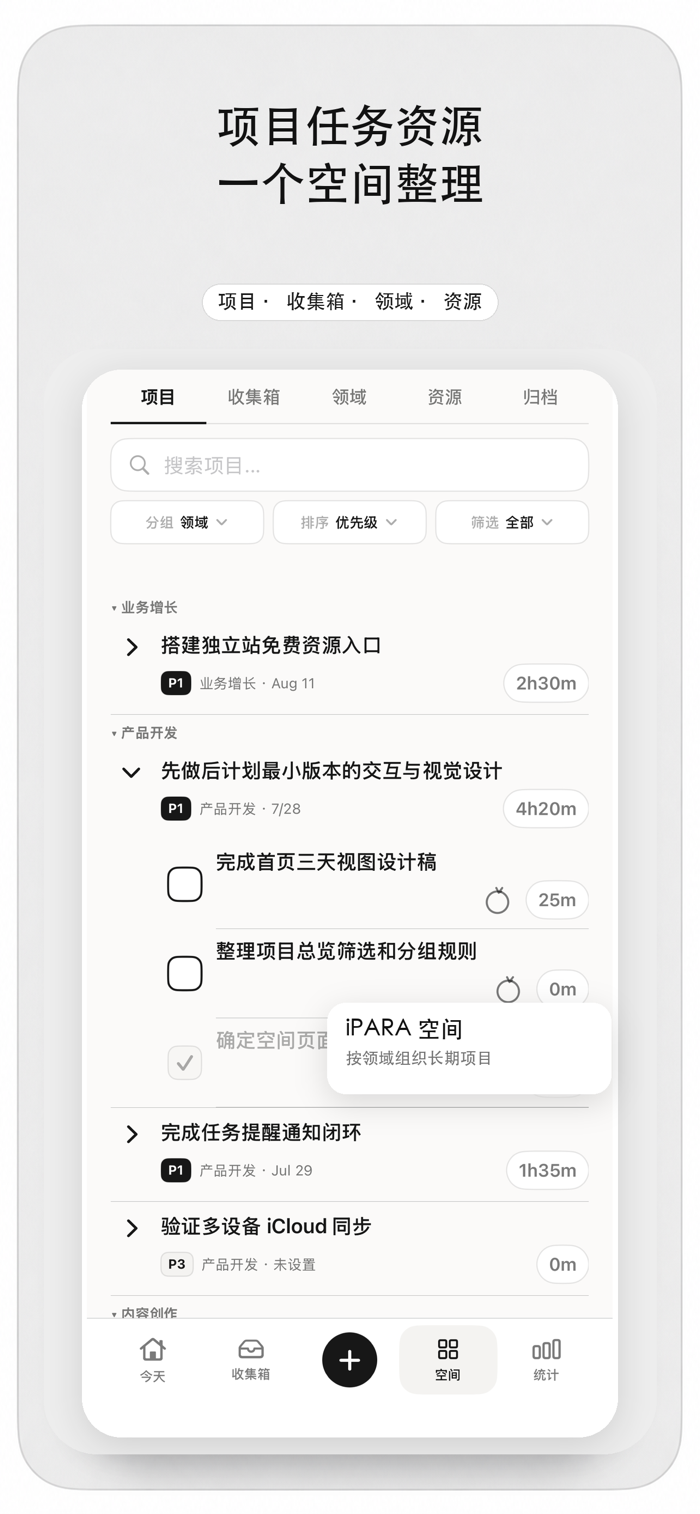
- Space provides unified management of projects, inboxes, areas, resources, and archives.
- Pomodoro timer and time tracking allow reviewing actual effort spent by area, project, or task.
- Share extension lets you quickly add text, links, and files from other apps into your inbox.

Do then Plan is not a complex team project management tool; it is a quiet action system for personal use: get started on today's tasks first, then gradually calibrate your work style using data and structure.

Privacy Policy: https://liberating-actor-38b.notion.site/Do-then-Plan-Privacy-Policy-3abab5d9026c812fa4ecfccd6d38a84f?pvs=74
Terms of Use (EULA): https://www.apple.com/legal/internet-services/itunes/dev/stdeula/

Version

1.0.3

「Do then Plan」正式更名为「做事」——更简单,更专注。

本次更新:
• 锁屏 Pin:在首页左滑任务或项目,点「钉到锁屏」,即可把它固定到锁屏;任务卡片带复选框,在锁屏上轻点一下就能标记完成。卡片会随白天/夜晚自动切换浅色/深色。
• 快速记录(Siri/聚焦搜索):无需打开应用,呼出「快速记录」,先选「收集箱」或「任务」,再输入内容,随手记下、不打断手边的事。
• 收集箱多选:长按任意条目进入多选,批量删除,支持撤销。
• 「转为任务」时可搜索并选择目标项目。
• 项目会根据开始/到期日期自动归入「昨天/今天/明天」。
• 全新新手引导,逐步高亮功能与入口,可随时跳过。
• 新增 Pro 订阅优惠码兑换入口;优化订阅页面,年付节省金额一目了然。
• 免费方案最多可创建 10 个任务。
• 优化界面细节、购买恢复体验与整体稳定性。

感谢使用「做事」,欢迎在评论中留下你的建议

Full changelog ↗

Help others with your real experience and earn gems

REWARD MARKETWhat can 100 gems get you?
More reviews ↗

提交反馈

每一个想法,都让 Mergeek 更好一点。