加入 Mergeek 福利群
扫码添加小助手,精彩福利不错过!
若不方便扫码,请在 Mergeek 公众号,回复 群 即可加入
- 精品限免
- 早鸟优惠
- 众测送码
SnapMotion Lite
Extract static images from a video precisely
分享
扫码添加小助手,精彩福利不错过!
若不方便扫码,请在 Mergeek 公众号,回复 群 即可加入
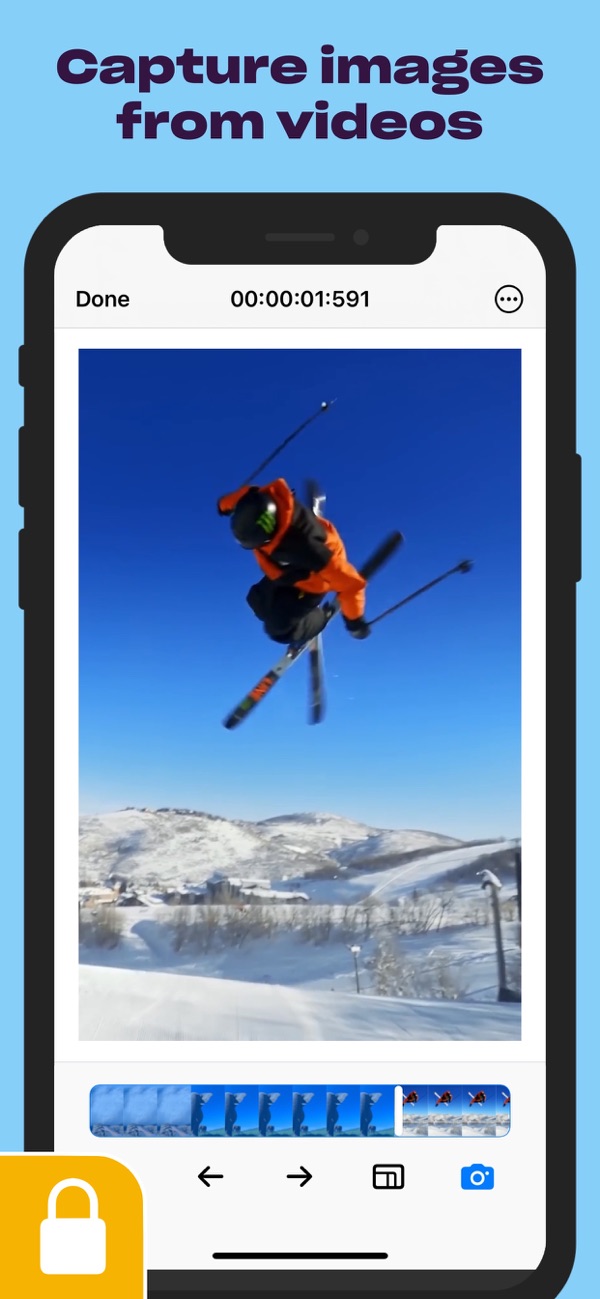
Want a simple tool to get images from videos? Use SnapMotion - a simple tool that helps you get the visual effects you need from video files. Rotate or flip your video before shooting, quickly open it from Finder or Photos, and use SnapMotion to get as many still images as possible without delay.
- Capture top quality
Open 4K and 8K videos without delay and get high-quality captures with SnapMotion. Forget about those random screenshots that take too much time to capture just right and are often blurry. Use a convenient tool like SnapMotion to get frames from videos in the highest quality possible.
- Open videos easily
Don't waste time when opening videos. Open files directly from Finder, Photos, and files in SnapMotion. Is there more good news? The app supports services like HTTP videos. You can open your videos through SnapMotion's links, making your shooting simple and fast - no need to move files or download them in advance.
- Rotate and flip videos
Save even more time with SnapMotion's built-in rotation and flip functions. There's no need to re-encode the video before saving screenshots in the correct orientation. Just flip or rotate the video in the app and capture what you need the way you expect.
- Batch processing
If you need to capture many images from a video, SnapMotion can handle it. The app allows you to batch extract thousands of images from a video. You can also create GIFs or MP4s from the images.
- For multiple video formats
If your QuickTime version can play it, SnapMotion can capture it! The app works with multiple video formats and codecs and can export your images as PNG, JPEG, HEIF, TIFF, GIF, and MP4.
- Get help within the app
SnapMotion is designed so that anyone can pick it up and use it, especially if you have a basic understanding of photography. But if something's not clear, you can submit feedback or ask questions within the app itself.
Please note that the application is universal. Batch processing and advanced exporting formats are exclusive to the Mac version.
分享 1~3 张你对这个产品最满意的截图或效果图
用你的故事点亮社区✨!你的真实体验,将会永久展示在 官方主页 📌,为其他朋友提供宝贵参考 💡。立即分享吧!🚀
请为产品评分
请选择问题回答,为大家提供宝贵参考
你尚未上传产品截图。
上传截图可立即获得宝石积分奖励!
如果你赶时间,也可稍后修改评论,补上截图领取宝石。
你尚未添加产品截图
⚠️ 不添加截图将降低抽奖权重
为了确保你能及时收到审核结果和领奖码通知
扫描二维码关注 Mergeek 公众号
在后台回复 「获奖通知」
完成上述操作,即可保障奖励发放成功
关注 Mergeek 公众服务号
即可注册/登录
Join us!
加入 mergeek.com 产品爱好者社区
我们在这里发现全世界的好产品
欣赏并分享美好解决方案
用户评价
立即分享产品体验
你的真实体验,为其他用户提供宝贵参考
我去,居然中奖了,谢谢官方和开发者
用这个来看视频哪个画面好看,然后截屏真是一流!
截图应用需求
这截图不错,正好满足需求
非常好
可以从视频中提取静态图像,很不错的一款工具
关键帧取照片,太牛了
关键帧,这个非常需要啊,跪求
无损切割截图可以的!
Good
SnapMotion 是一个轻量级截图 APP,可以轻松快速打开 8K 视频,每一帧都能单独截取保存,保存视频里美好的一瞬间
视频截图的利器,值得一试
专业的交给专业的APP,支持的格式多,交互操作简单,丝滑高效。专业!
实话说,不知道这种捕捉视频里图片的app有什么用,能送试用再来评价吧!
支持8K视频,还能逐帧截图真的是太好了吧
不错
好赞的功能!
分割画面,快速定位,这太太太实用啦,🤩
参加活动
重在参与
💎 分享获得宝石
【分享体验 · 获得宝石 · 增加抽奖机会】
将你的产品体验分享给更多人,获得更多宝石奖励!
💎 宝石奖励
每当有用户点击你分享的体验链接并点赞"对我有用",你将获得:
🔗 如何分享
复制下方专属链接,分享到社交媒体、群聊或好友:
💡 小贴士
分享时可以添加你的个人推荐语,让更多人了解这款产品的优点!
示例分享文案:
"推荐一款我最近体验过的应用,界面设计很精美,功能也很实用。有兴趣的朋友可以看看我的详细体验评价~"
关注 Mergeek 公众号
领奖遇到问题?联系小门助手