



 +100宝石




产品功能
Snapseed is a comprehensive and professional photo editing tool developed by Google.
== Main Features ==
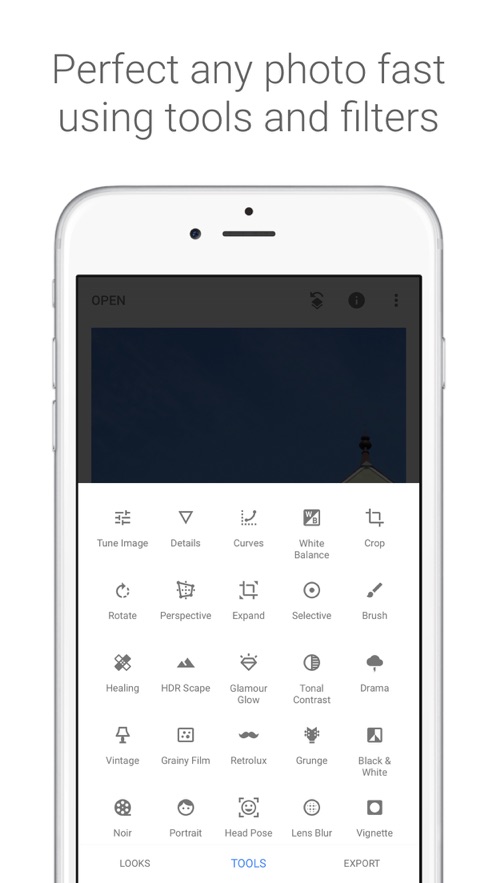
• 29 tools and filters, including functions such as Repair, Brush, Structure, HDR, and Perspective (see the list below)
• Can open JPG and RAW files
• Can save personal styles for easy application to new photos in the future
• Local filter brush
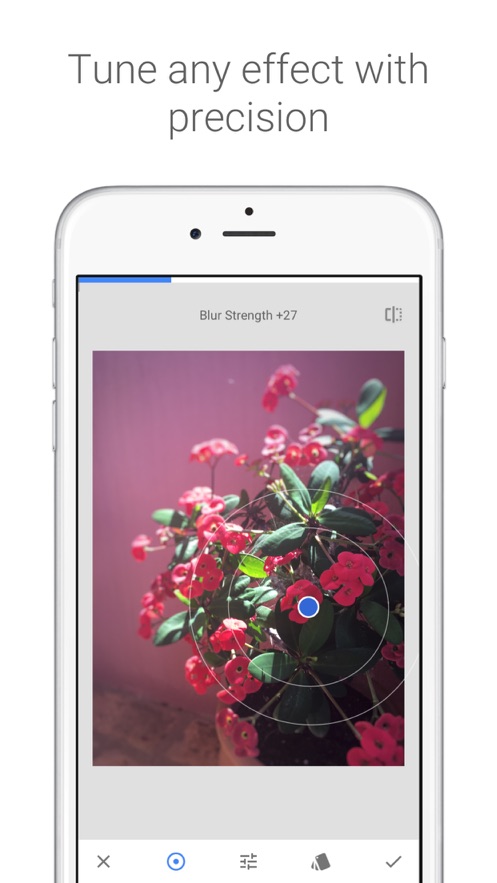
• Can fine-tune all styles with precise control
• Can get tips and tricks for Snapseed and general photography through the "Tutorial" card
== Tools, Filters, and Faces ==
• RAW Development - Can open and fine-tune raw camera files; save or export the files losslessly as JPG
• Tune Image - Automatically adjust exposure and color, or manually adjust with precise control
• Enhance Details - Highlight the surface structure of the picture
• Crop - Crop the picture to standard sizes or freely crop as needed
• Rotate - Rotate the picture by 90°, or correct tilted pictures according to the horizontal line
• Perspective - Correct tilted lines and make horizontal lines or buildings more geometrically beautiful
• White Balance - Adjust colors to make the picture look more natural
• Brush - Locally adjust exposure, saturation, brightness, or color temperature
• Selective Adjust - The well-known "Control Points" technology: set up to 8 points on the picture, then specify beautification effects, and let the algorithm do the rest
• Repair - Remove uninvited guests in group photos
• Vignette - Add a soft shadow to the corners of the picture to create a beautiful effect similar to shooting with a large aperture
• Text - Add text in artistic or plain text styles (38 preset styles)
• Curves - Precisely control the brightness levels in the photo
• Expand - Increase the canvas size and intelligently use the picture content to fill the new space
• Lens Blur - Add a bokeh effect (background softening) to the picture to make it more beautiful and suitable for portrait photography
• Glamour Glow - Add a charming glow to the picture, suitable for fashion photography or portrait shooting
• Tonal Contrast - Locally enhance details in the shadows, midtones, and highlights
• HDR Landscape - Create a multiple-exposure effect to make your pictures more outstanding
• Drama - Add an end-of-the-world atmosphere to your pictures
• Grunge - Make the picture present an avant-garde effect through strong style effects and texture overlays
• Grainy Film - Create a modern film effect with realistic grains
• Vintage - Make the picture present the effect of being taken with color films popular in the 1950s, 1960s, or 1970s
• Retrolux - Make the picture full of nostalgia with functions such as light leaks, scratches, and film styles
• Noir - Make the picture present the style of black-and-white movies with realistic grain effects and "bleaching" effects
• Black & White - Inspired by the darkroom, create classic black-and-white photos
• Frames - Add adjustable-sized frames to the pictures
• Double Exposure - Inspired by film shooting and digital image processing, provide multiple blending modes so that you can easily blend two pictures
• Beauty - Brighten eyes, brighten the face, or smooth the skin
• Facial Pose - Adjust the pose of a portrait according to a 3D model
分享「」体验,参与「」抽奖!
分享 1~3 张你对这个产品最满意的截图或效果图
分享「」体验,参与「」抽奖!
用你的故事点亮社区✨!你的真实体验,将会永久展示在 官方主页 📌,为其他朋友提供宝贵参考 💡。立即分享吧!🚀
请为产品评分
请选择问题回答,为大家提供宝贵参考
选择要回答的问题
温馨提示
你尚未上传产品截图。
上传截图可立即获得宝石积分奖励!
如果你赶时间,也可稍后修改评论,补上截图领取宝石。
温馨提醒
你尚未添加产品截图
⚠️ 不添加截图将降低抽奖权重

感谢参加,你已成功参加!
为了确保你能及时收到审核结果和领奖码通知

扫描二维码关注 Mergeek 公众号
在后台回复 「获奖通知」
完成上述操作,即可保障奖励发放成功






用户评价
立即分享产品体验
你的真实体验,为其他用户提供宝贵参考
💎 分享获得宝石
【分享体验 · 获得宝石 · 增加抽奖机会】
将你的产品体验分享给更多人,获得更多宝石奖励!
💎 宝石奖励
每当有用户点击你分享的体验链接并点赞"对我有用",你将获得:
🔗 如何分享
复制下方专属链接,分享到社交媒体、群聊或好友:
💡 小贴士
分享时可以添加你的个人推荐语,让更多人了解这款产品的优点!
示例分享文案:
"推荐一款我最近体验过的应用,界面设计很精美,功能也很实用。有兴趣的朋友可以看看我的详细体验评价~"
关注 Mergeek 公众号
领奖遇到问题?联系小门助手