


 +100宝石


产品功能
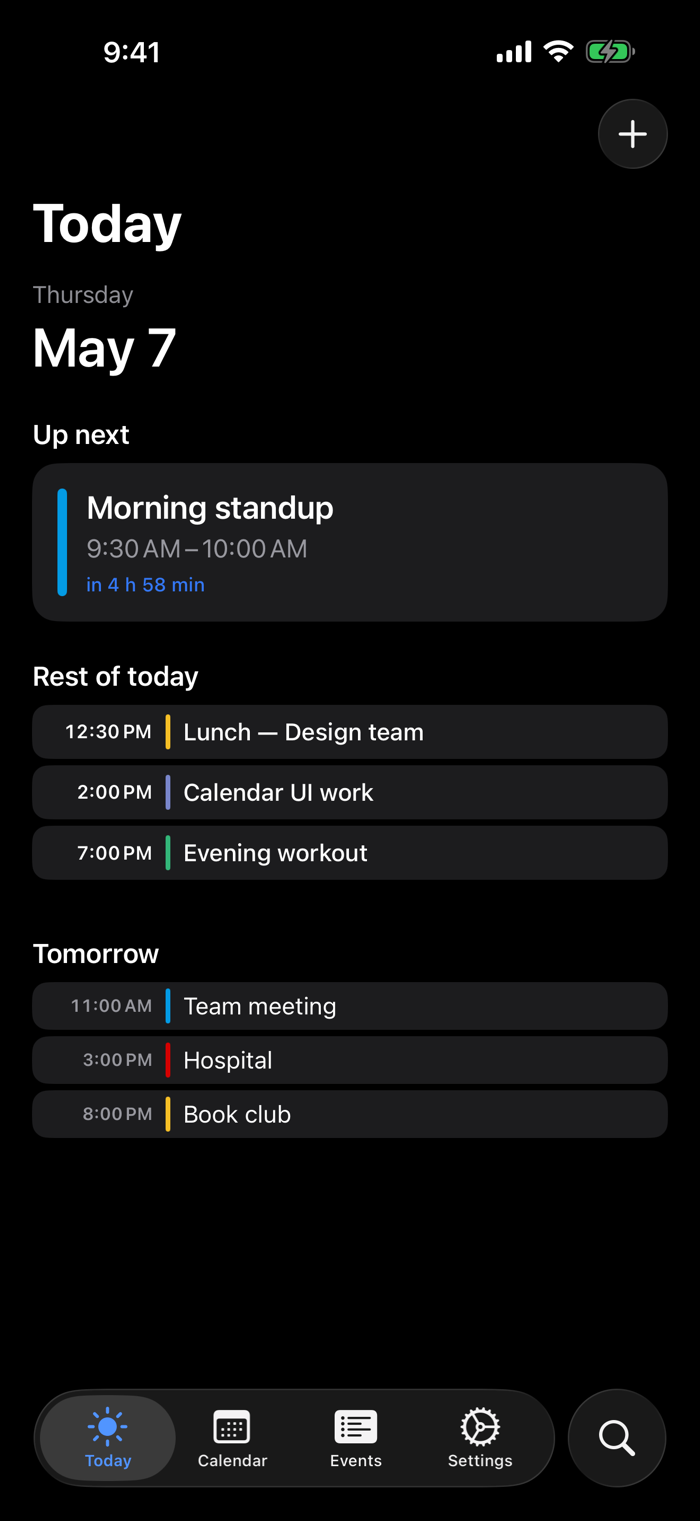
What to do today is right in front of your eyes. This is minical.
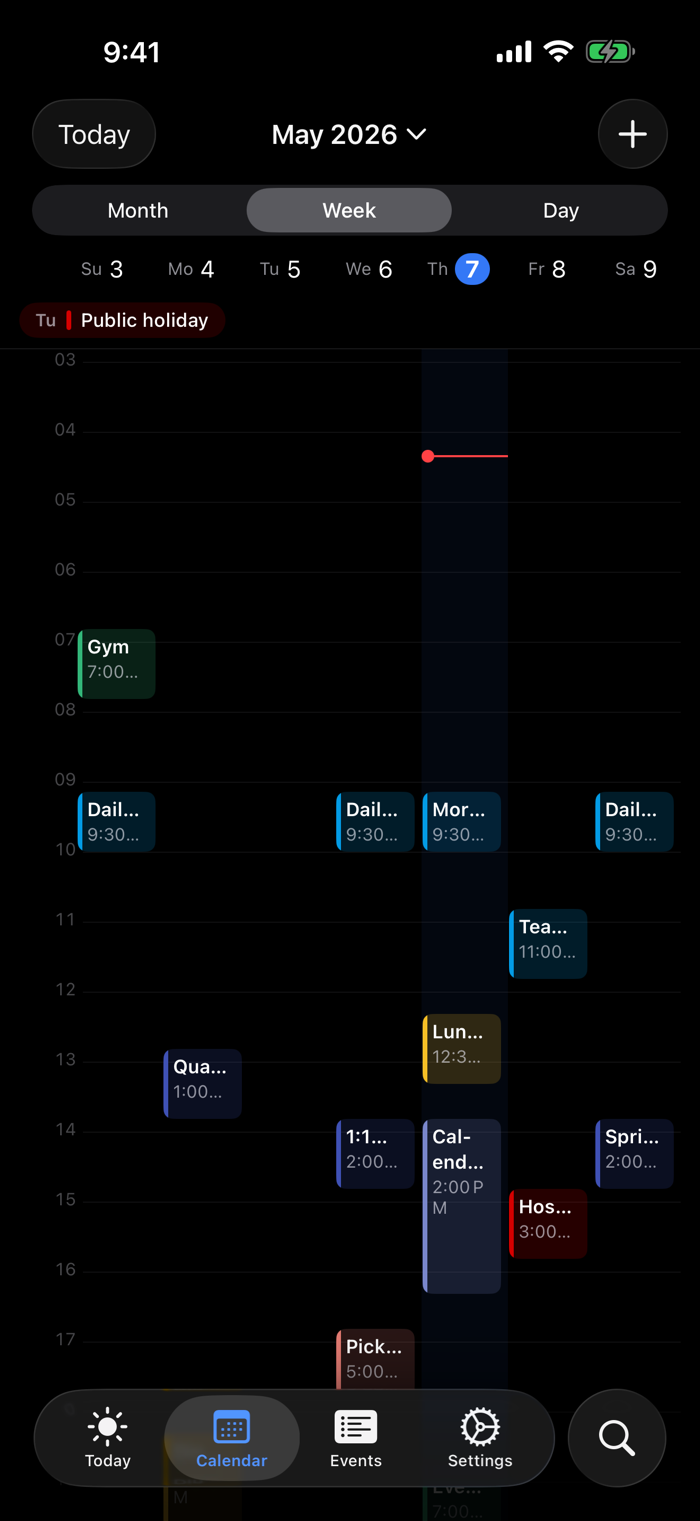
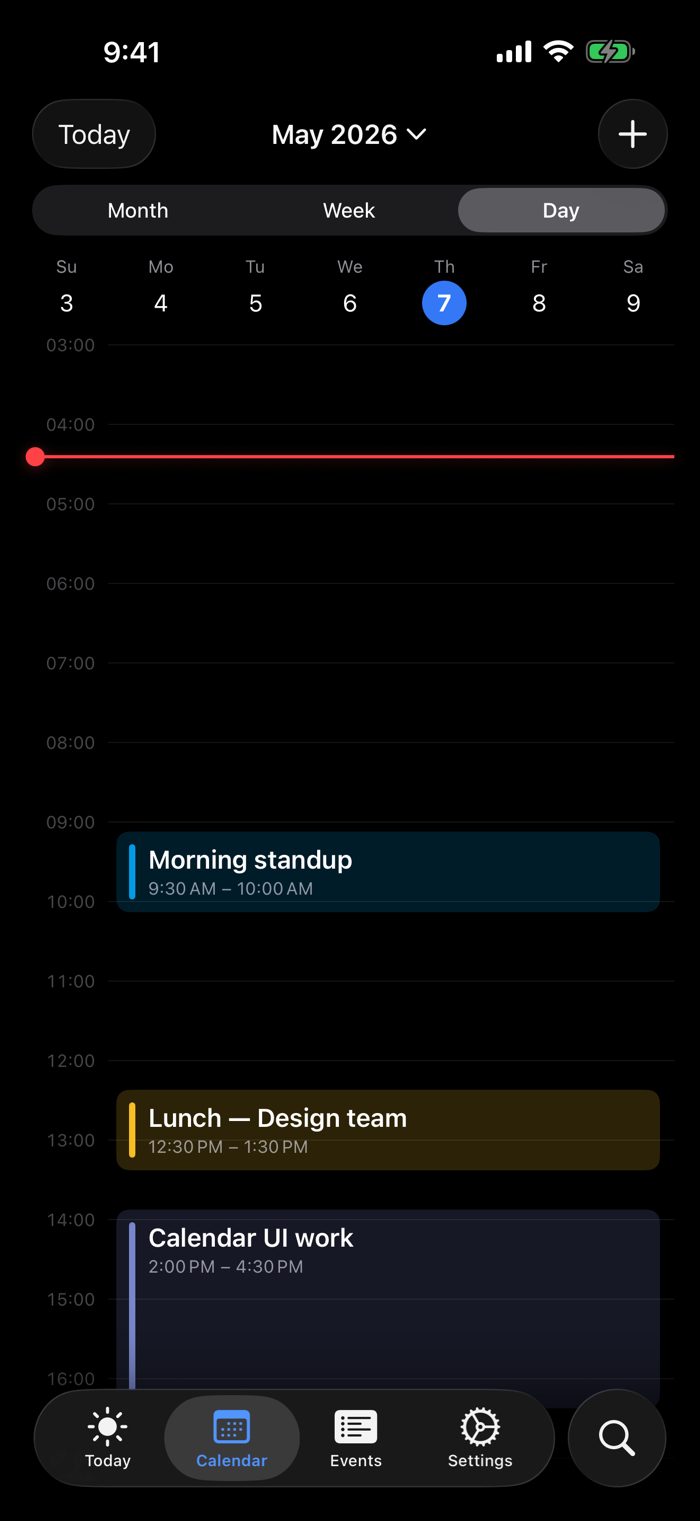
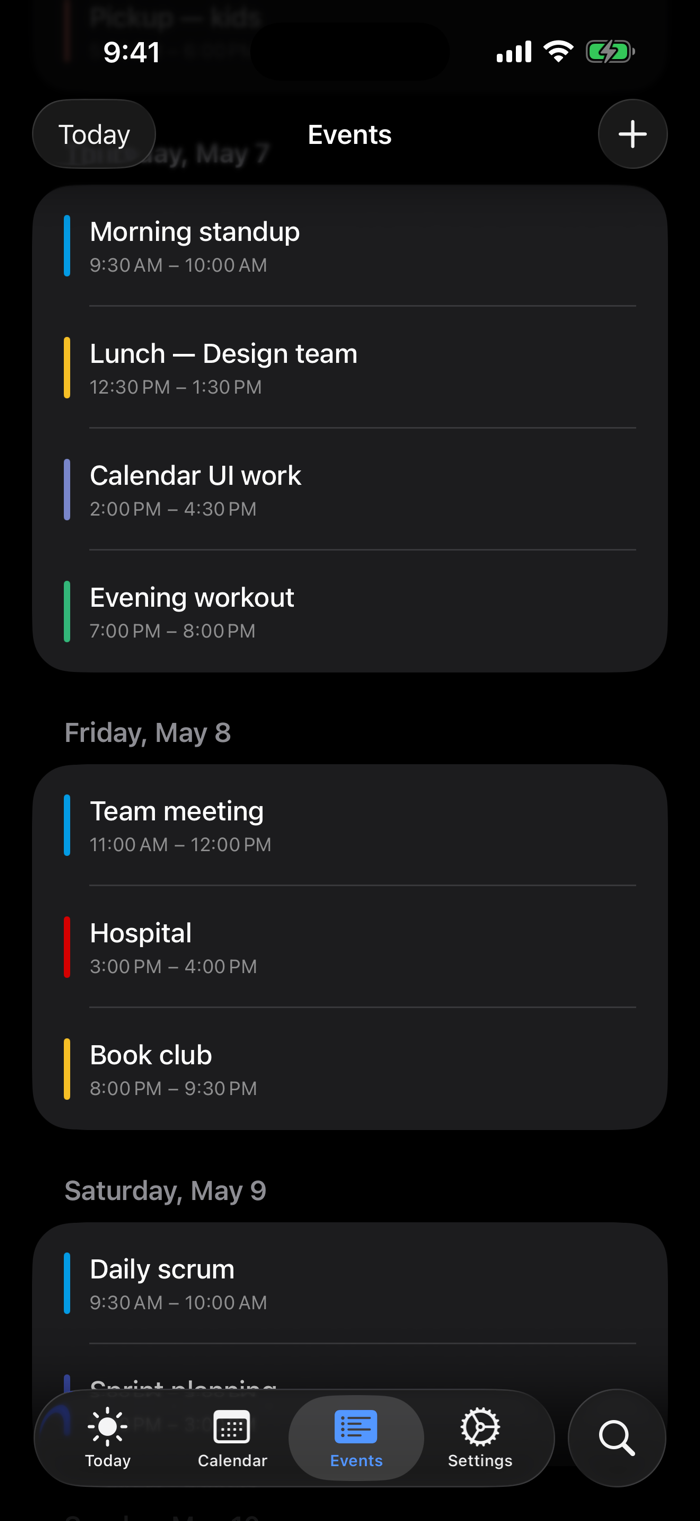
Google Calendar, iCloud, iOS Calendar, and schedules created in minical - no matter where they're created, they're all centralized on one screen by color. You can see at a glance what's left for today and how the whole month unfolds without scrolling.
■ Visible at a Glance
• Today Page - Countdown to the next event, in progress, remaining, completed
• Month View - A single grid for the whole month, with a clear view of color distribution
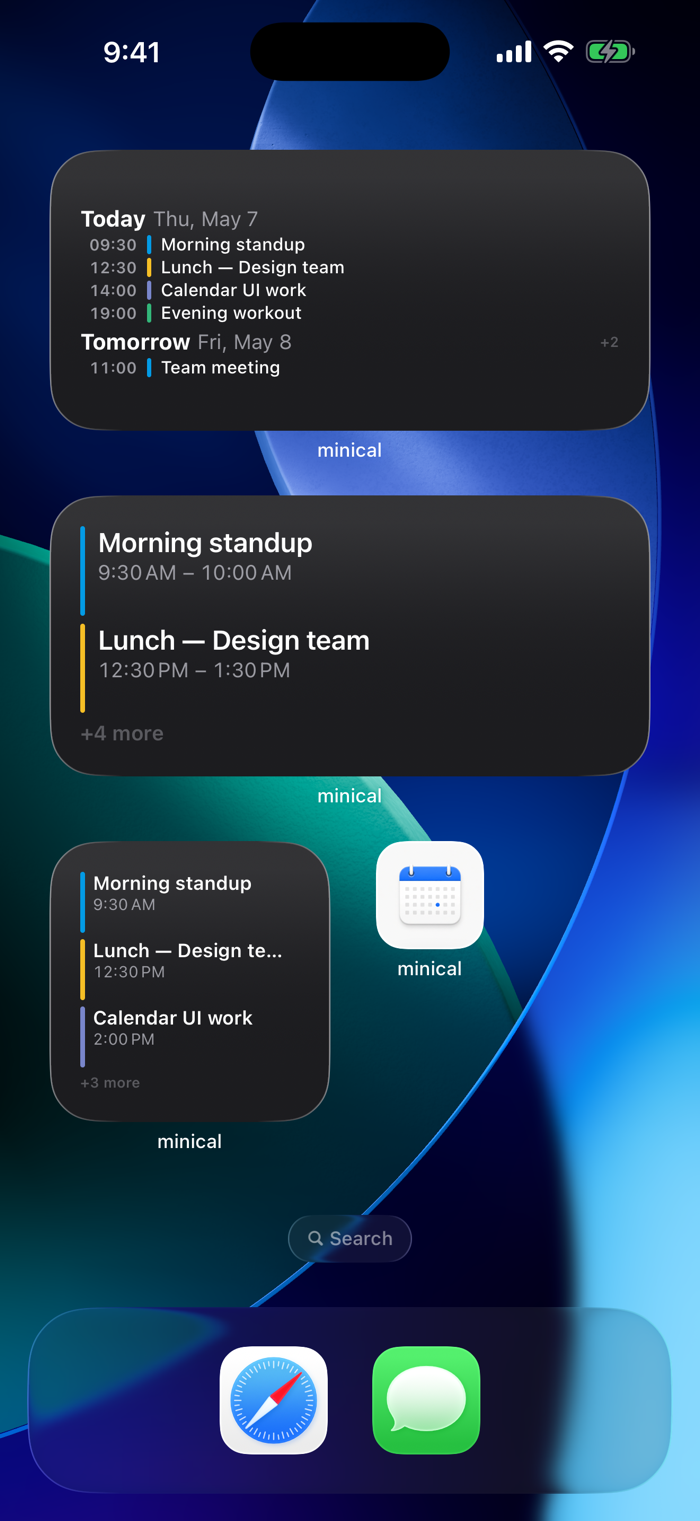
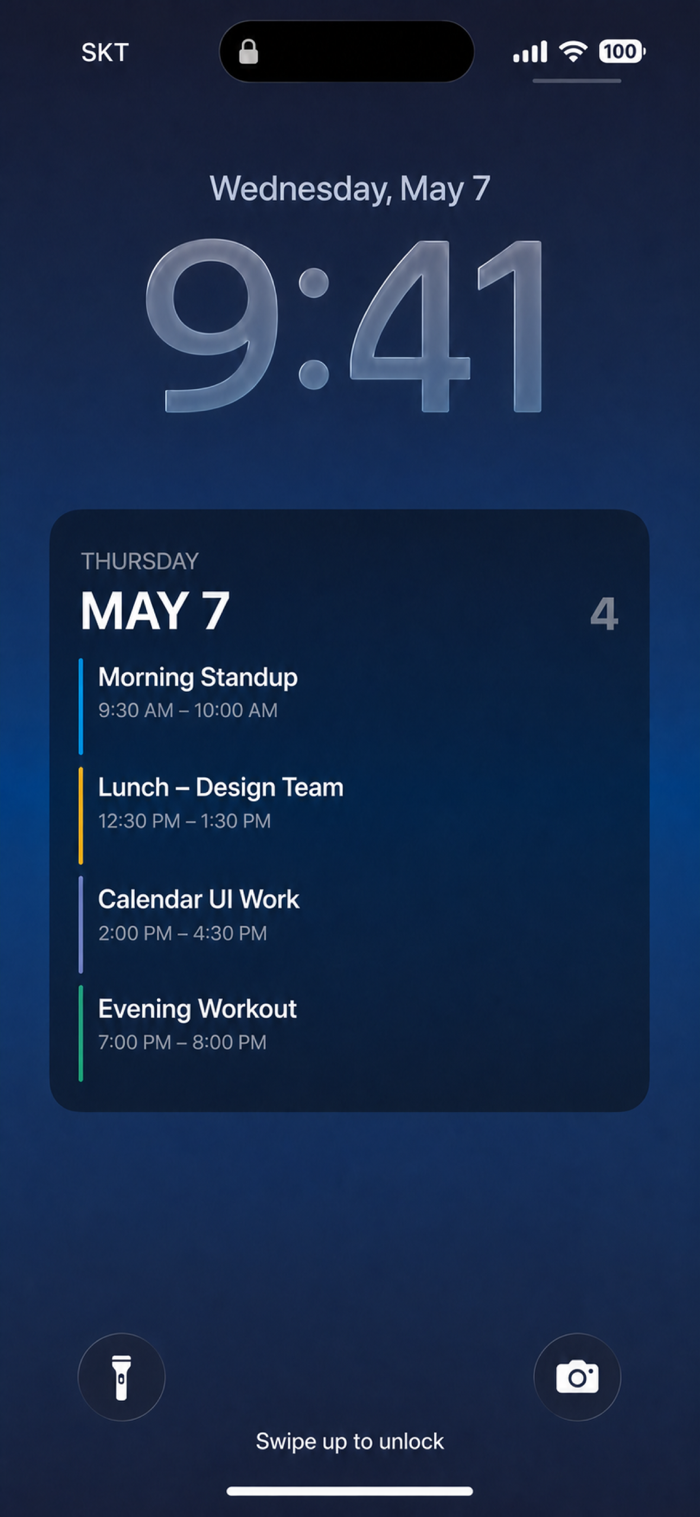
• Widgets - See today + tomorrow directly on the lock screen / home screen
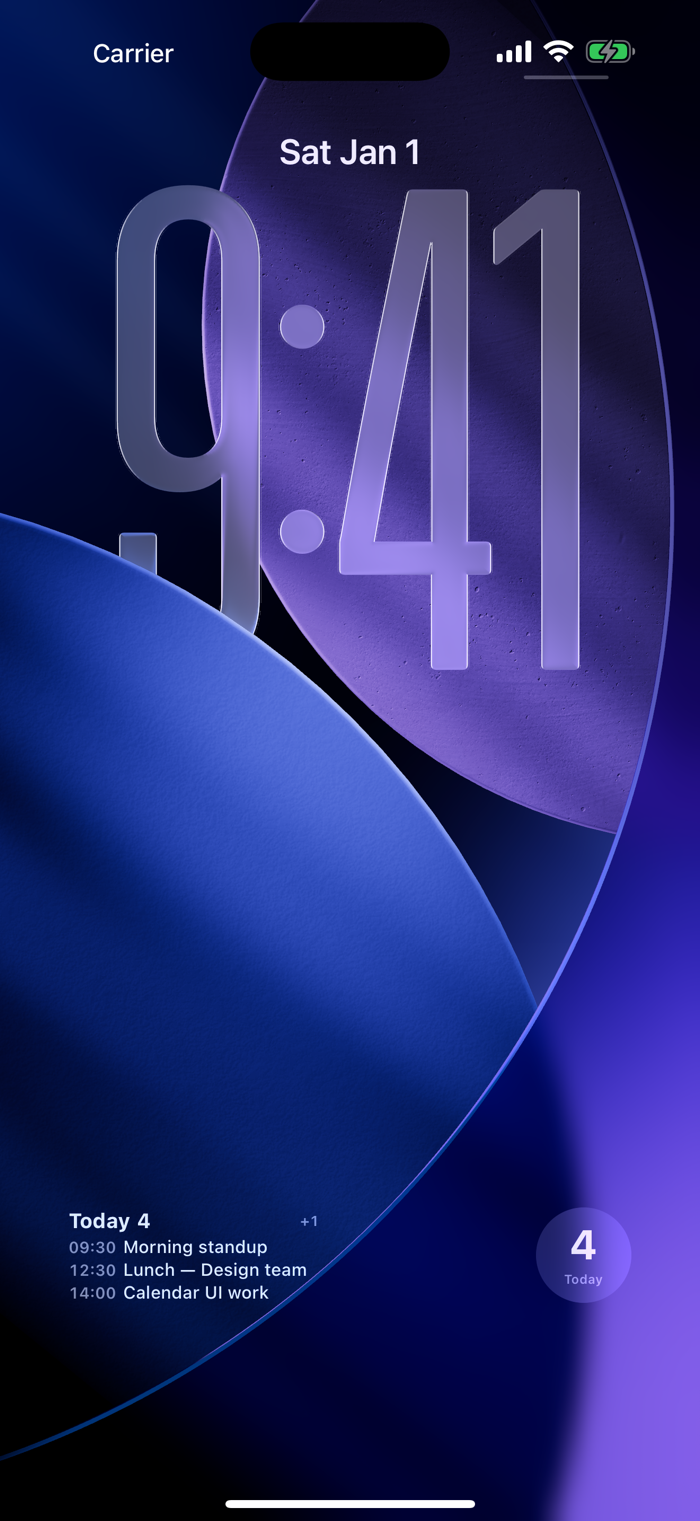
• Shortcuts - The lock screen wallpaper automatically becomes today's schedule
• Apple Watch - Glance at it by raising your wrist
■ Core Features
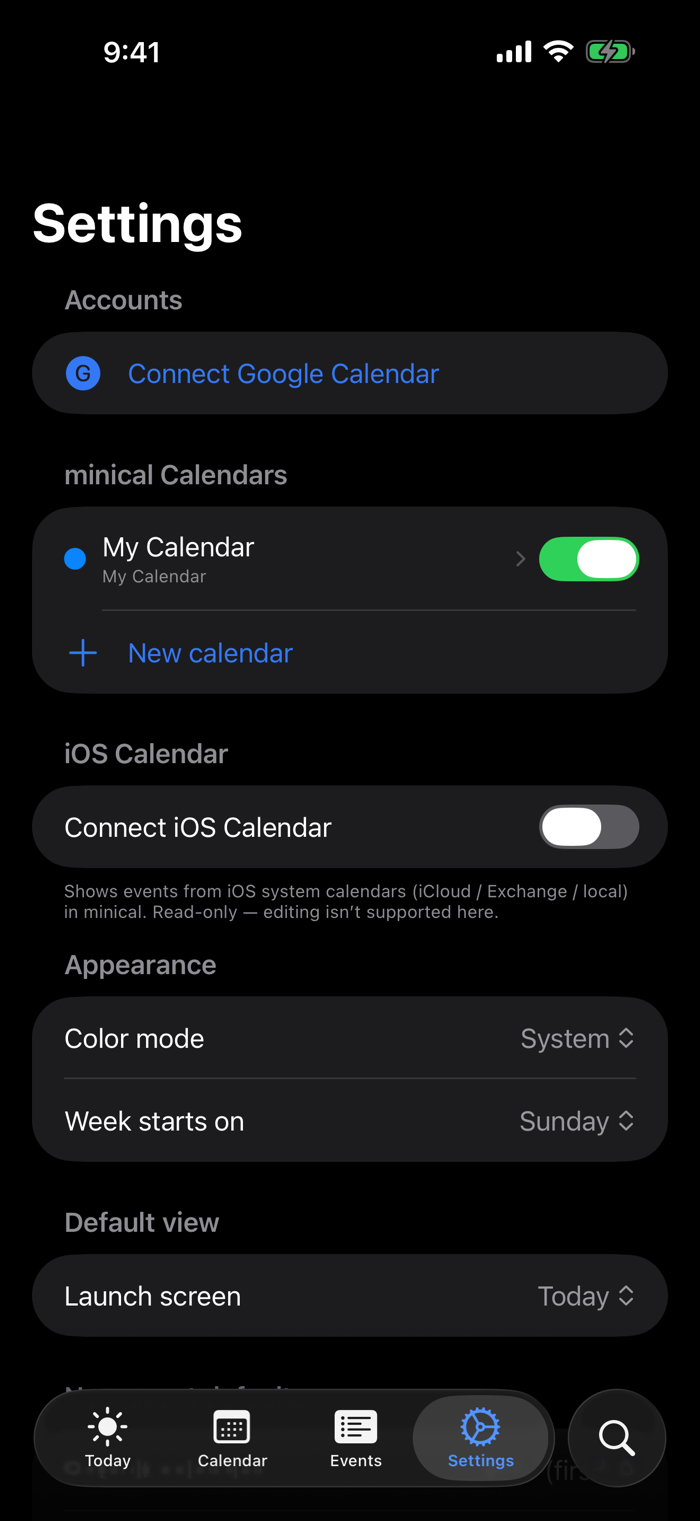
• Two-way sync with Google Calendar (multi-account support)
• Repeating events - Daily / Weekly / Monthly / Yearly + end conditions
• Quick addition with natural language - "Meeting at 3 pm tomorrow for 1 hour"
• Google's palette of 11 colors + lightness variants
• Compatible with iOS Calendar (iCloud / Exchange, read-only display)
• Notifications - 10 presets, multiple can be stacked
■ Full set of widgets
Home screen: Up Next / Today List / Month Grid
Lock screen: Inline / Inline Long / Rectangular / Circular
Apple Watch: Native app + 4 complications
■ Automatically refresh the wallpaper via Shortcuts
Connect the "Generate Today's Wallpaper" Shortcut to the system's "Set Wallpaper" action, and with an automation at 7 am daily, the lock screen wallpaper will automatically switch with today's schedule.
■ Our Promise
No ads. No need to register an account (Google is optional). No tracking. No in-app purchases.
All data is stored locally; Google tokens are only stored in the keychain.
分享「」体验,参与「」抽奖!
分享 1~3 张你对这个产品最满意的截图或效果图
分享「」体验,参与「」抽奖!
用你的故事点亮社区✨!你的真实体验,将会永久展示在 官方主页 📌,为其他朋友提供宝贵参考 💡。立即分享吧!🚀
请为产品评分
请选择问题回答,为大家提供宝贵参考
选择要回答的问题
温馨提示
你尚未上传产品截图。
上传截图可立即获得宝石积分奖励!
如果你赶时间,也可稍后修改评论,补上截图领取宝石。
温馨提醒
你尚未添加产品截图
⚠️ 不添加截图将降低抽奖权重

感谢参加,你已成功参加!
为了确保你能及时收到审核结果和领奖码通知

扫描二维码关注 Mergeek 公众号
在后台回复 「获奖通知」
完成上述操作,即可保障奖励发放成功





用户评价
立即分享产品体验
你的真实体验,为其他用户提供宝贵参考
💎 分享获得宝石
【分享体验 · 获得宝石 · 增加抽奖机会】
将你的产品体验分享给更多人,获得更多宝石奖励!
💎 宝石奖励
每当有用户点击你分享的体验链接并点赞"对我有用",你将获得:
🔗 如何分享
复制下方专属链接,分享到社交媒体、群聊或好友:
💡 小贴士
分享时可以添加你的个人推荐语,让更多人了解这款产品的优点!
示例分享文案:
"推荐一款我最近体验过的应用,界面设计很精美,功能也很实用。有兴趣的朋友可以看看我的详细体验评价~"
关注 Mergeek 公众号
领奖遇到问题?联系小门助手