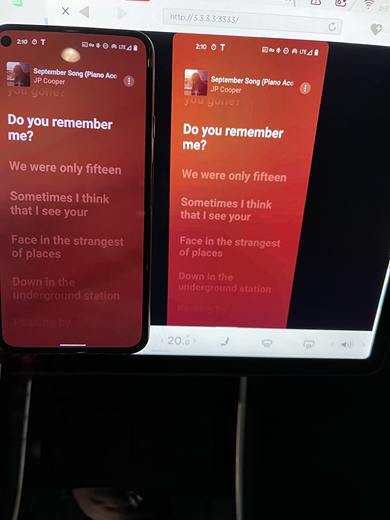
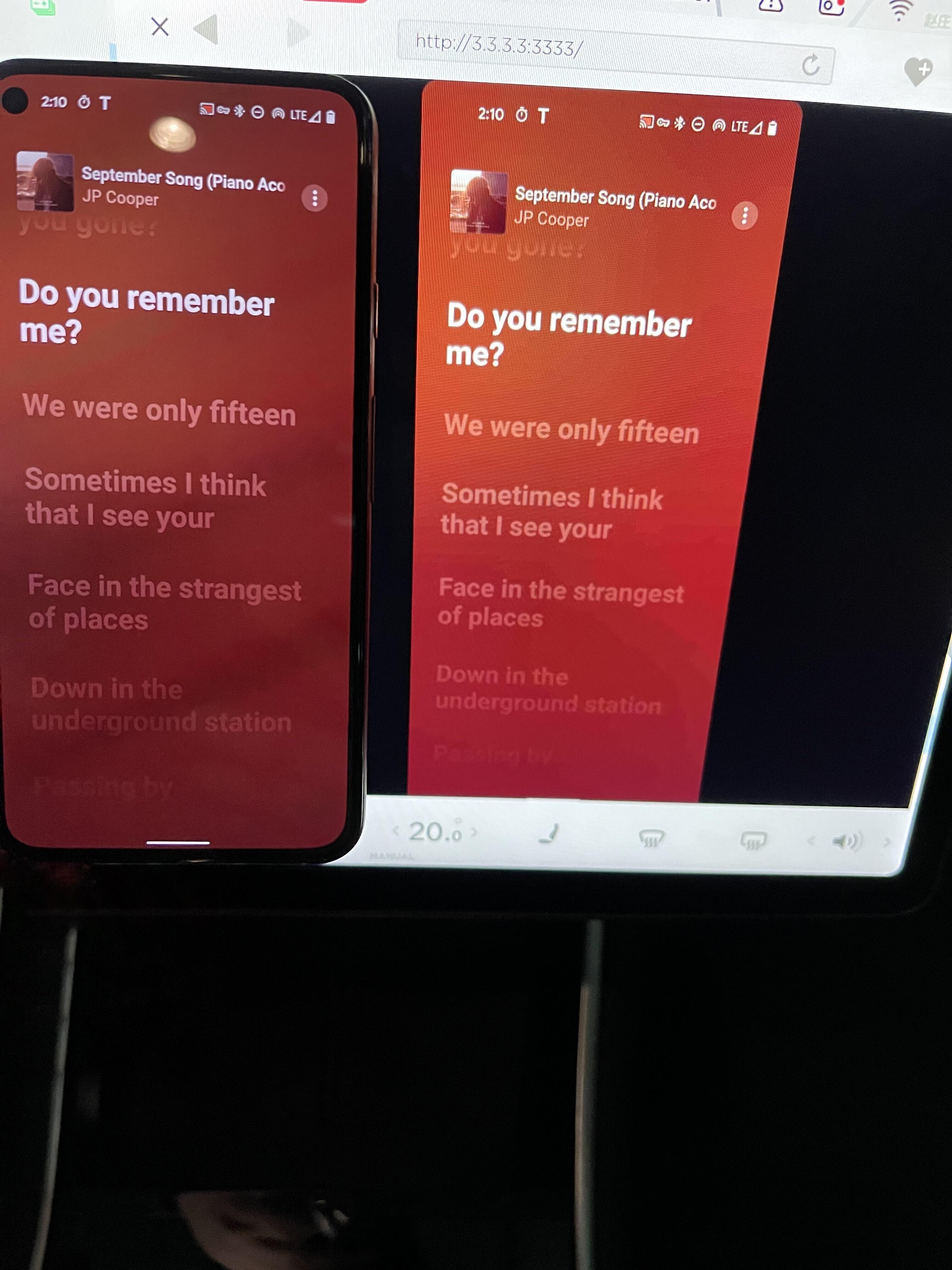
TeslaMirror/TslaMirror is an app that can help you mirror your mobile (iPhone/iPad/Android) apps to your Tesla vehicle! On Android, it's TeslaMirror. On iOS, it's TslaMirror. Additionally, it also supports taking screenshots of apps to a regular desktop browser (Safari or Chrome).
Version 7.02: Optimized support for H.264 video mode.
Version 6.00: New audio support.
Version 5.00:
- Supports in-app purchases (IAP).
- Users of version 4.07 and earlier do not need to repurchase. Please use the "Restore Purchases" option in the IAP menu to restore your purchase status一次性恢复您的购买状态 at once.
The "Auto-Renew Monthly" option in the IAP menu provides permission to use the app on a monthly subscription basis.
The "Buy Out Forever" option in the IAP menu unlocks unlimited use rights of the app.
TslaMirror supports mirroring the iPhone/iPad App to the large screen of Tesla vehicles. It also supports casting the App to the desktop Chrome browser.
Prerequisites for supporting the Tesla vehicle browser:
1. iPhone/iPad supports connecting to the Internet via mobile data. The screen mirroring part does not use Internet bandwidth. This requirement for mobile data is to support the "Personal Hotspot" function of the iPhone/iPad. The network traffic for the screen mirroring part is entirely within the local area network of the iPhone's "Personal Hotspot", and the screen mirroring part does not require Internet traffic. However, note that after the Tesla vehicle connects to the personal hotspot, other functions of the vehicle itself may use some Internet traffic.
2. The Tesla vehicle needs to have MCU2/3 hardware. Tesla vehicle models with MCU2/3: Tesla Model 3, Model Y, Model X (models after March 2018), Model S (models after March 2018), or other Tesla vehicles that have been upgraded from MCU1 to MCU2/3 hardware
Connection steps for the Tesla vehicle browser:
1. If possible, try to upgrade the Infotainment system of the Tesla vehicle to the latest version
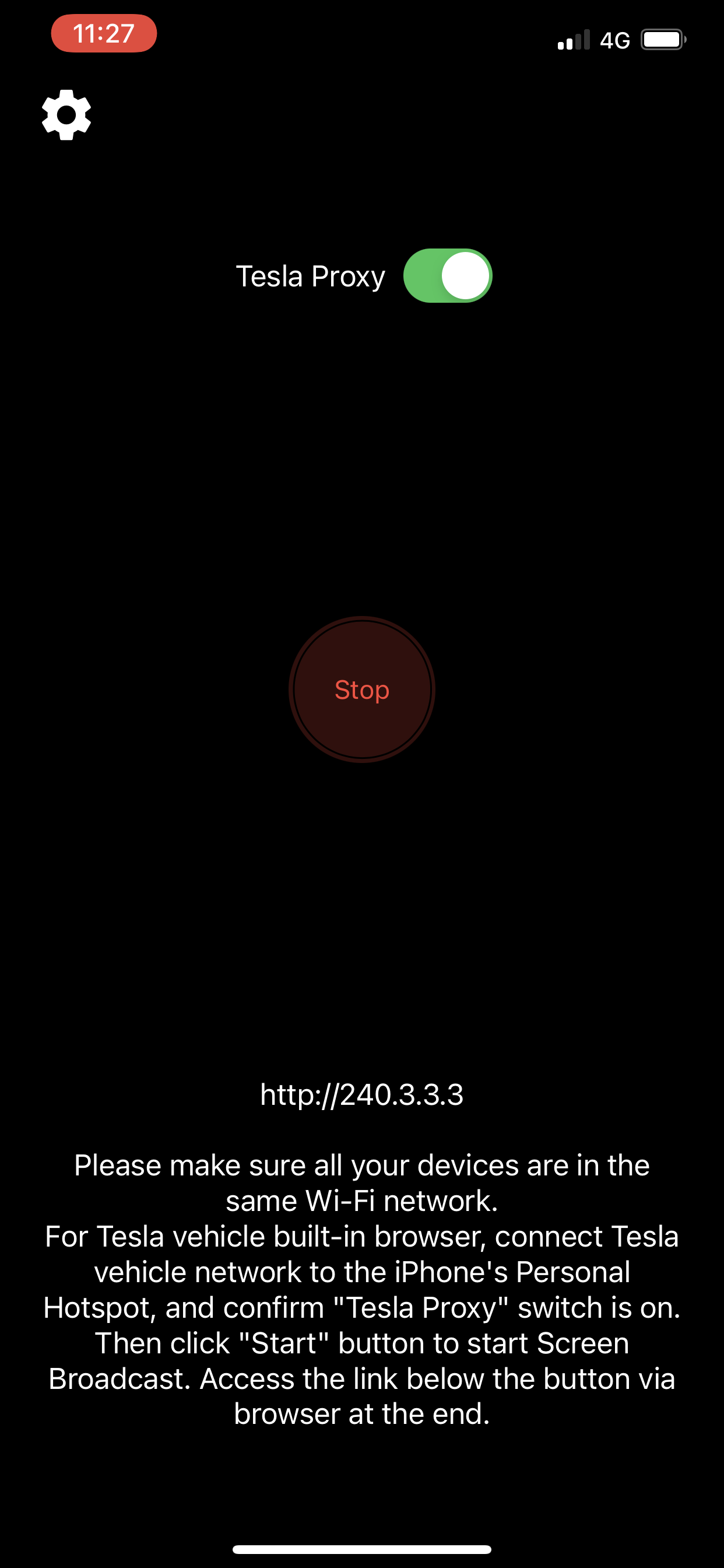
2. It is recommended to operate this App when the vehicle is parked. The Tesla vehicle browser needs to first connect the Tesla vehicle network to the iPhone's hotspot. Make sure the "Low Power Mode" is not enabled on the iPhone/iPad.
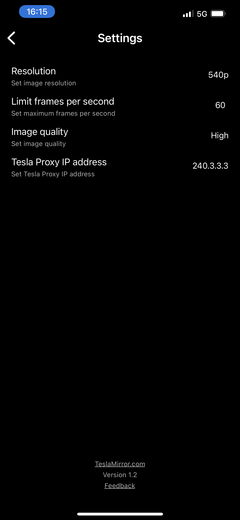
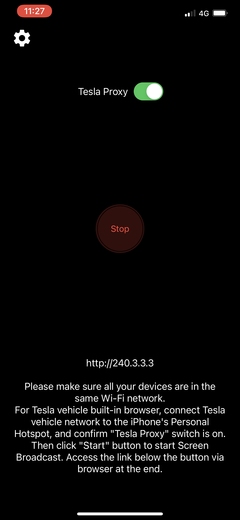
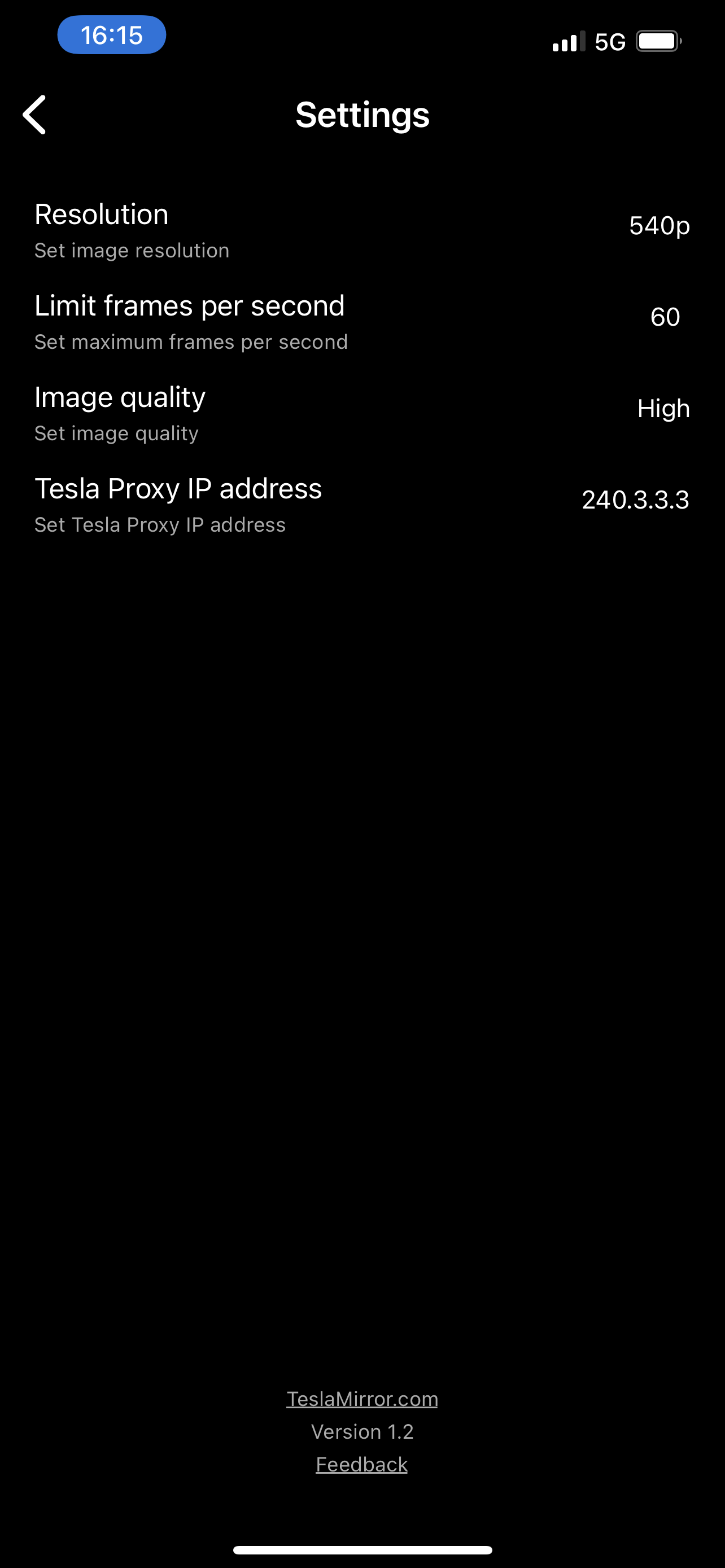
3. Make sure the "Proxy" item on this APP page is enabled
4. Then click the "Start" button on the App page, and then click "Start Live Streaming" to start screen live streaming
5. In the browser, visit the website below the "Start" button on this APP page, https://TslaMirror.com
6. You can pinch and zoom on the Tesla touch screen with two fingers to adjust the size of the screen
7. Support for playing lossless audio through the browser in H.264 mode
8. In MJPEG mode, the App does not support playing audio to the browser. Please connect the audio to the Tesla car audio via Bluetooth
9. Due to the limitations of the screen live streaming API, do not lock the screen of the iOS device. After locking the screen, the screen live streaming will stop, and you can only restart the screen live streaming function
Connection steps for a regular computer browser:
1. Make sure the devices are on the same Wi-Fi network
2. Start the TslaMirror App
3. Then use the "Start" button in the App to start screen live streaming
4. Access the website below the button through the browser
Main features:
1. The screen mirroring part does not use Internet traffic. The screen mirroring part does not use Internet bandwidth. The requirement for mobile data is to support the "Personal Hotspot" function of the iPhone/iPad. The network traffic for the screen mirroring part is entirely within the local area network of the iPhone's "Personal Hotspot", and the screen mirroring part does not require Internet traffic. However, note that after the Tesla vehicle connects to the personal hotspot, other functions of the vehicle itself may use some Internet traffic.
2. No additional connection hardware is required. This is a pure software screen mirroring solution.
3. Good privacy. The screen mirroring does not go through the public Internet and does not reach other servers. The network traffic for the screen mirroring part is entirely within the local area network of the iPhone's "Personal Hotspot".
4. Fast network speed. Since there is no need to access any servers on the Internet, the network speed is the speed of the local area network of the iOS device's "Personal Hotspot".


 +100宝石


 分享
分享










用户评价
立即分享产品体验
你的真实体验,为其他用户提供宝贵参考
💎 分享获得宝石
【分享体验 · 获得宝石 · 增加抽奖机会】
将你的产品体验分享给更多人,获得更多宝石奖励!
💎 宝石奖励
每当有用户点击你分享的体验链接并点赞"对我有用",你将获得:
🔗 如何分享
复制下方专属链接,分享到社交媒体、群聊或好友:
💡 小贴士
分享时可以添加你的个人推荐语,让更多人了解这款产品的优点!
示例分享文案:
"推荐一款我最近体验过的应用,界面设计很精美,功能也很实用。有兴趣的朋友可以看看我的详细体验评价~"
关注 Mergeek 公众号
领奖遇到问题?联系小门助手