









加入 Mergeek 福利群
扫码添加小助手,精彩福利不错过!
若不方便扫码,请在 Mergeek 公众号,回复 群 即可加入
- 精品限免
- 早鸟优惠
- 众测送码
 OpenDisplay
 4.8
4.8
OpenDisplay turns your iPhone or iPad into a second display for your Mac. It's the open-source way to put your spare Apple device to work as a real extended monitor — drag windows onto it, keep chat, notes, or logs in view, and gain screen space anywhere you go. It's not a mirror: it's a genuine additional display your Mac treats like any other monitor. • Real extended display — arrange it in your Mac's Display settings and drag windows across • Connect over USB for the lowest latency, or over Wi-Fi with zero setup • Retina-sharp, pixel-for-pixel rendering • Touch and scroll — tap, drag, and two-finger scroll to control your Mac • Works in portrait or landscape • Private by design — a direct connection between your own devices, with no accounts, no servers, and no tracking IMPORTANT: OpenDisplay requires the companion OpenDisplay app for Mac, running on your computer on the same cable or Wi-Fi network. Get it at https://peetzweg.github.io/opendisplay — without it, this app has nothing to connect to. OpenDisplay is open source under the GPL-3.0 license. Read the code, report issues, or contribute at https://github.com/peetzweg/opendisplay
OpenDisplay turns your iPhone or iPad into a second display for your Mac. It's the open-source way to put your spare Apple device to work as a real extended monitor — drag windows onto it, keep chat, notes, or logs in view, and gain screen space anywhere you go. It's not a mirror: it's a genuine additional display your Mac treats like any other monitor. • Real extended display — arrange it in your Mac's Display settings and drag windows across • Connect over USB for the lowest latency, or over Wi-Fi with zero setup • Retina-sharp, pixel-for-pixel rendering • Touch and scroll — tap, drag, and two-finger scroll to control your Mac • Works in portrait or landscape • Private by design — a direct connection between your own devices, with no accounts, no servers, and no tracking IMPORTANT: OpenDisplay requires the companion OpenDisplay app for Mac, running on your computer on the same cable or Wi-Fi network. Get it at https://peetzweg.github.io/opendisplay — without it, this app has nothing to connect to. OpenDisplay is open source under the GPL-3.0 license. Read the code, report issues, or contribute at https://github.com/peetzweg/opendisplay
第一时间掌握精选限免应用/游戏信息
自定义喜欢的应用/游戏的价格变动
了解内购应用/游戏的限免或降价活动
查看应用/游戏价格历史等待合适时机再出手
第一时间收到价格通知不错过省钱机会

扫码下载 Follow
 WeTally
在这个快节奏的时代,APP 以“简洁至上”的理念,旨在为用户提供一个精致而实用的财务管理工具,在瞬息...

 Noted
Noted
笔记与录音的完美结合,录音同时生成文字,后面还会记录下一个时间戳,可以凭着这个时间直接跳转重温,笔记...
 iCareFone
iCareFone 是一款功能强大的 APP,深受全球1800000+用户信赖。 WiFi传输:可轻...
 34
34


在这个快节奏的时代,APP 以“简洁至上”的理念,旨在为用户提供一个精致而实用的财务管理工具,在瞬息...
155
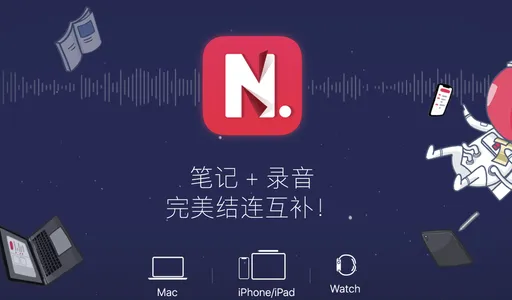
笔记与录音的完美结合,录音同时生成文字,后面还会记录下一个时间戳,可以凭着这个时间直接跳转重温,笔记...
8


iCareFone 是一款功能强大的 APP,深受全球1800000+用户信赖。 WiFi传输:可轻...
天天发现优质应用
 到主屏幕
到主屏幕


产品名
这项是必须填的哦~可用平台
产品链接
这项是必须填的哦~产品一句话介绍
这项是必须填的哦~开发者邮箱
你也可以发送更多的产品故事到 hi@mergeek.com
我们会让你的产品被更多用户看到!
产品名
这项是必须填的哦~可用平台
产品链接
这项是必须填的哦~产品一句话介绍
这项是必须填的哦~开发者邮箱
你也可以发送更多的产品故事到 hi@mergeek.com
我们会让你的产品被更多用户看到!
已经成功发送到你的邮箱了,请注意查收
你成为这个产品的发现者啦,说说你的推荐语吧!