













 App Store






加入 Mergeek 福利群
扫码添加小助手,精彩福利不错过!
若不方便扫码,请在 Mergeek 公众号,回复 群 即可加入
- 精品限免
- 早鸟优惠
- 众测送码
 SidePilot
 5.0
5.0
This is the app for drone enthusiasts who wish to have a more portable ground station.
Works with ArduPilot autopilot via WiFi, Bluetooth Low Energy or Cellular connection, including 3DR Solo.
NOTE: You must have either WiFi, Cellular or Serial Bluetooth connection to your drone.
User Manual is available at https://sidepilot.net
Features:
• Supports ArduCopter, ArduPlane and ArduRover via MAVLink protocol.
• Displays current drone location, with information such as altitude, yaw, pitch and roll.
• ADSB integration to display nearby aircraft and provide warnings.
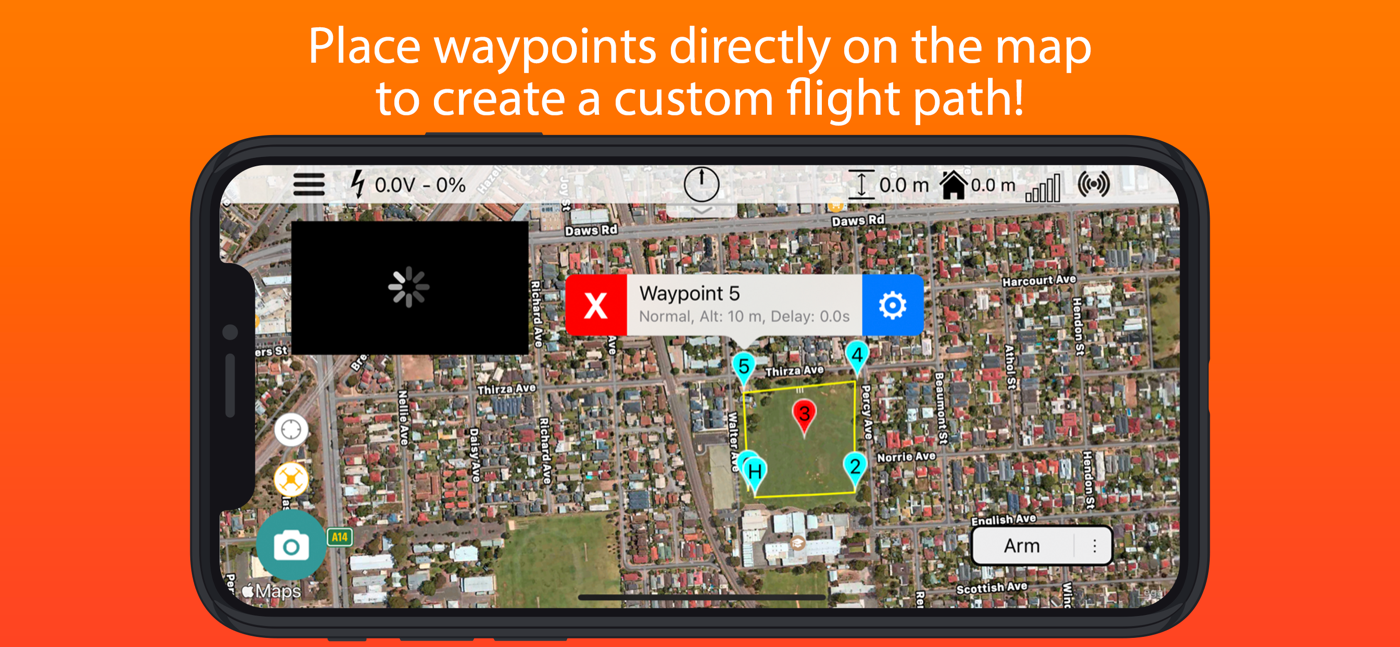
• Create, edit and delete waypoints and geofences.
• Audible alerts for important information.
• Edit, save and load parameters.
• Perform a Pre-Flight checklist with live weather information.
• Low battery warnings and alerts.
• View onboard video, and live stream it to YouTube.
• Record telemetry logs and export for sharing.
• Follow Me - Have your drone follow you using your devices GPS location, or visually with Object Tracking.
• Orbit mode - Automatically orbit an object for a fantastic cinematic shots!
• Grid Waypoints - Create a survey grid to fly
• Tap to fly - Tap a location on the map to send your drone there!
• Perform calibrations at the field.
• And many, many more...
Quick-start guide (Using a WiFi connection):
1. Turn on drone and connect using WiFi.
2. Start SidePilot, navigate to settings and select either WiFi UDP, TCP or 3DR Solo (as applicable).
3. If setting up WiFi manually, click on WiFi Settings and input the correct IP address and port that the MAVLink protocol is running over.
4. Go back to the main screen and press the connect button on the top right. The app will begin displaying information about the drone. If not, double check your WiFi settings.
Please post suggestions and bug reports on the SidePilot Facebook page or via email to tom@sidepilot.net
WARNING: Continued use of GPS running in the background can dramatically decrease battery life.
Note: iPads without cellular do not have GPS capability unless tethered to a iOS Device with cellular, and even then it is poor and not suitable for navigation.
This is the app for drone enthusiasts who wish to have a more portable ground station.
Works with ArduPilot autopilot via WiFi, Bluetooth Low Energy or Cellular connection, including 3DR Solo.
NOTE: You must have either WiFi, Cellular or Serial Bluetooth connection to your drone.
User Manual is available at https://sidepilot.net
Features:
• Supports ArduCopter, ArduPlane and ArduRover via MAVLink protocol.
• Displays current drone location, with information such as altitude, yaw, pitch and roll.
• ADSB integration to display nearby aircraft and provide warnings.
• Create, edit and delete waypoints and geofences.
• Audible alerts for important information.
• Edit, save and load parameters.
• Perform a Pre-Flight checklist with live weather information.
• Low battery warnings and alerts.
• View onboard video, and live stream it to YouTube.
• Record telemetry logs and export for sharing.
• Follow Me - Have your drone follow you using your devices GPS location, or visually with Object Tracking.
• Orbit mode - Automatically orbit an object for a fantastic cinematic shots!
• Grid Waypoints - Create a survey grid to fly
• Tap to fly - Tap a location on the map to send your drone there!
• Perform calibrations at the field.
• And many, many more...
Quick-start guide (Using a WiFi connection):
1. Turn on drone and connect using WiFi.
2. Start SidePilot, navigate to settings and select either WiFi UDP, TCP or 3DR Solo (as applicable).
3. If setting up WiFi manually, click on WiFi Settings and input the correct IP address and port that the MAVLink protocol is running over.
4. Go back to the main screen and press the connect button on the top right. The app will begin displaying information about the drone. If not, double check your WiFi settings.
Please post suggestions and bug reports on the SidePilot Facebook page or via email to tom@sidepilot.net
WARNING: Continued use of GPS running in the background can dramatically decrease battery life.
Note: iPads without cellular do not have GPS capability unless tethered to a iOS Device with cellular, and even then it is poor and not suitable for navigation.
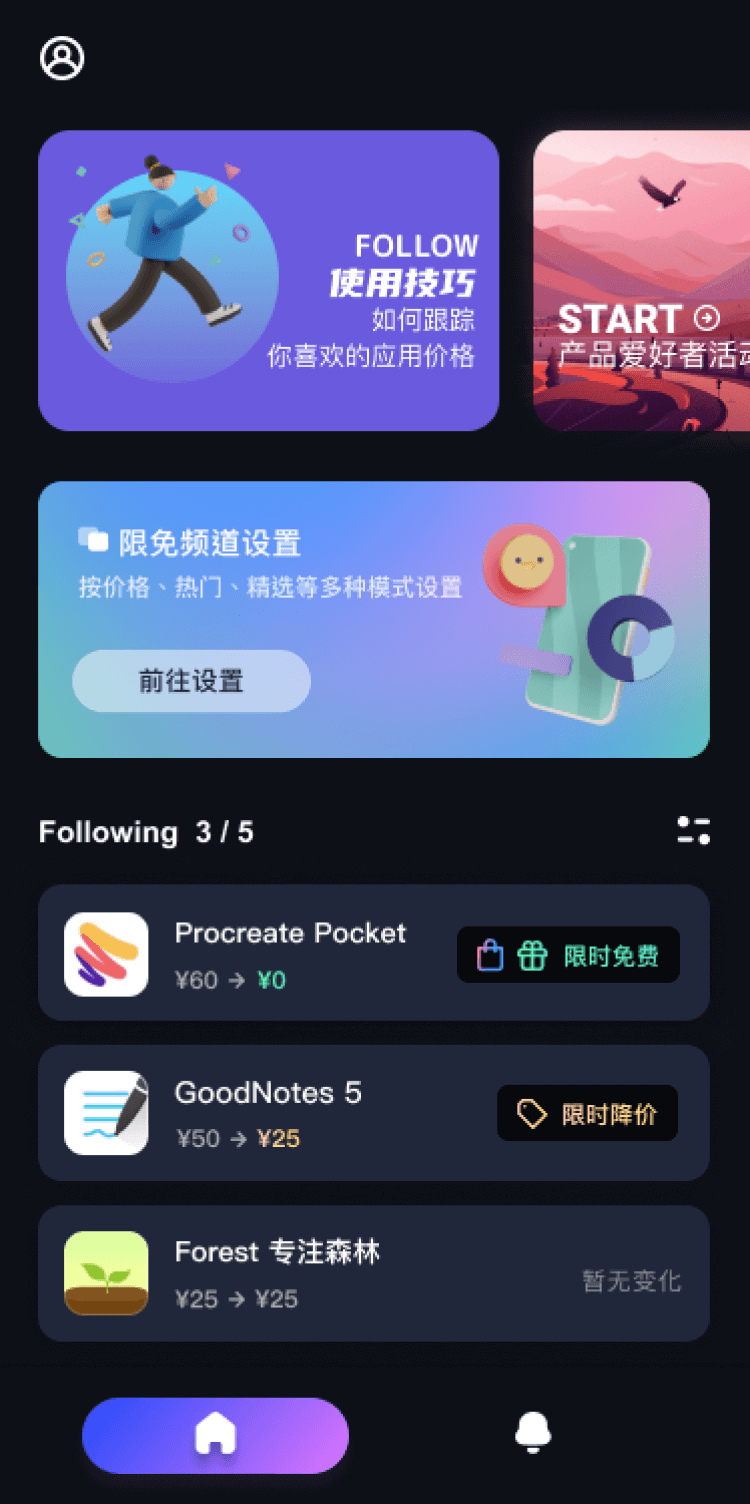
第一时间掌握精选限免应用/游戏信息
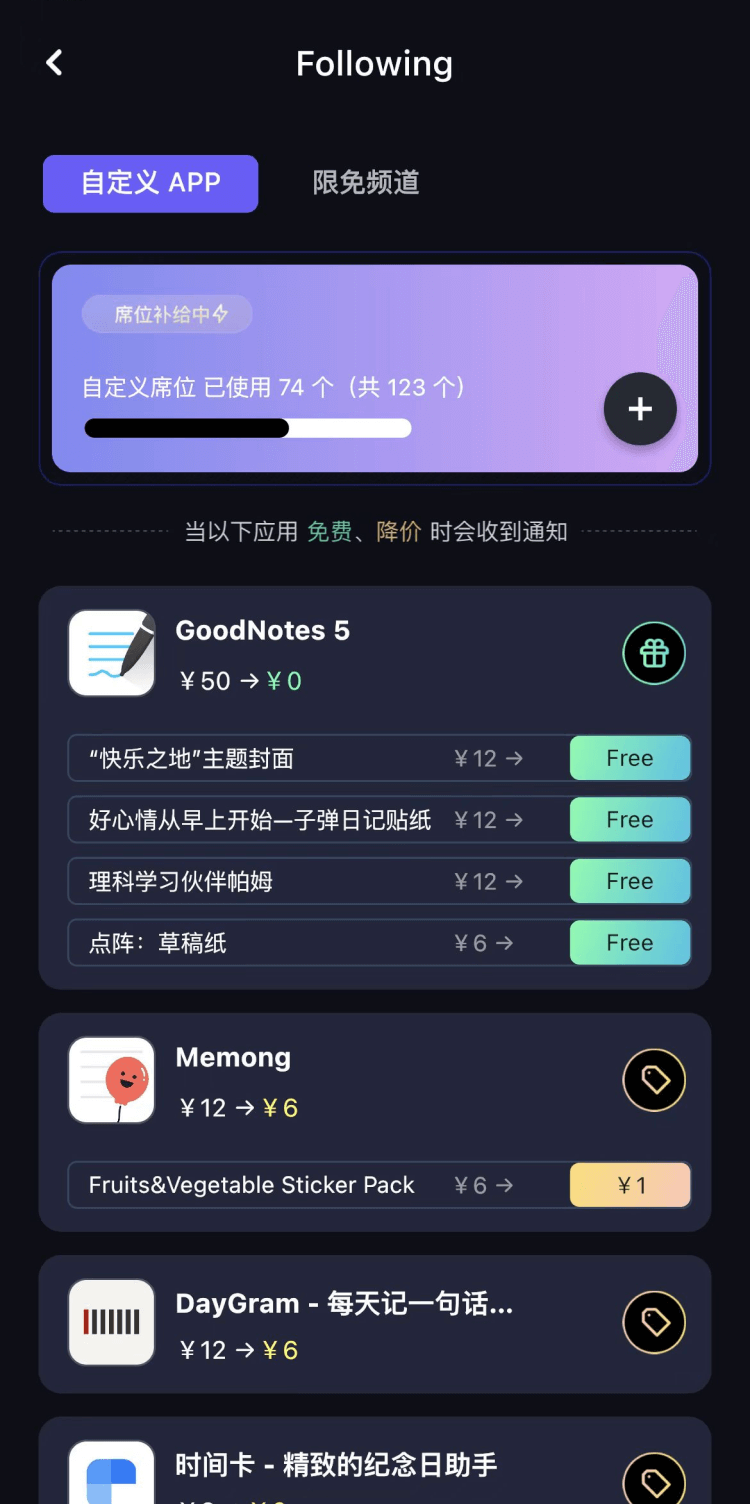
自定义喜欢的应用/游戏的价格变动
了解内购应用/游戏的限免或降价活动
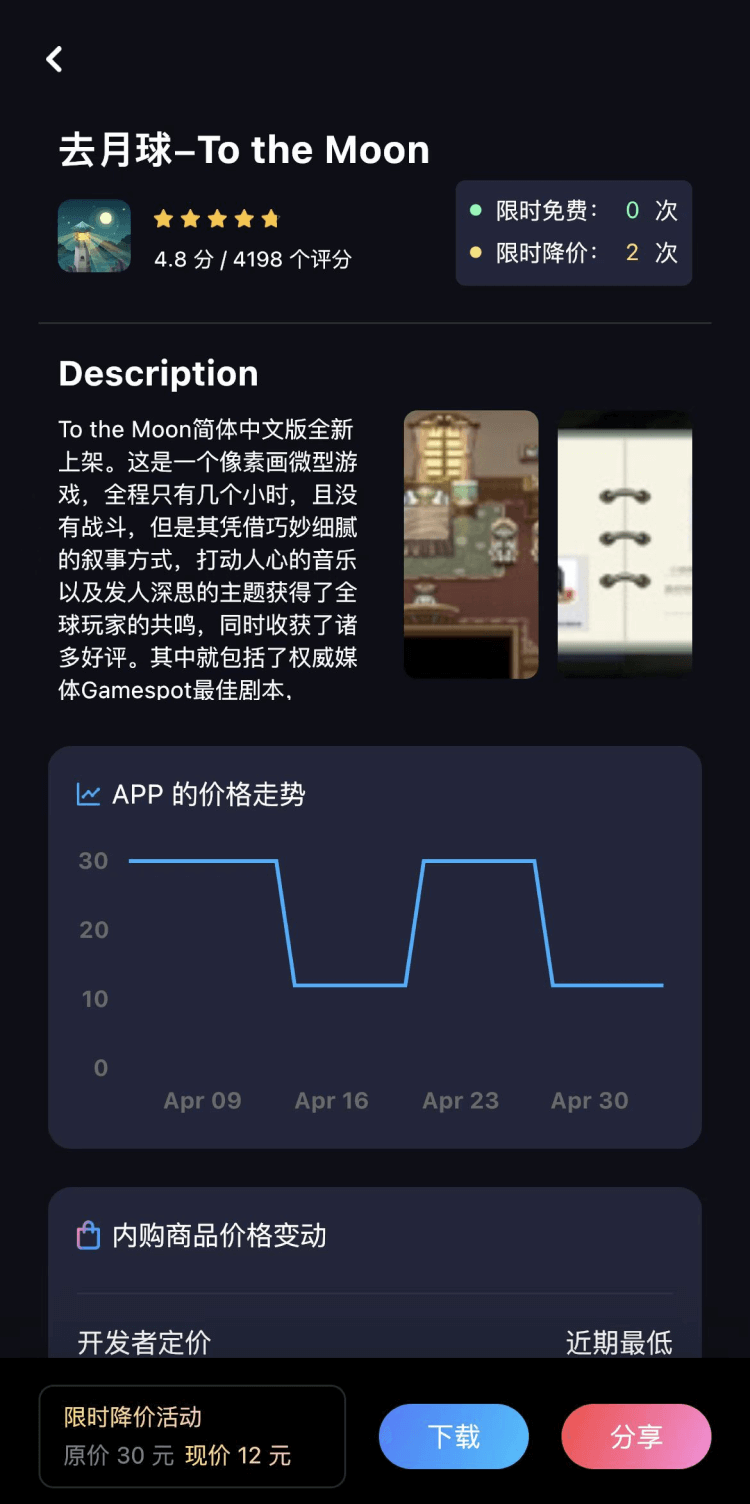
查看应用/游戏价格历史等待合适时机再出手
第一时间收到价格通知不错过省钱机会

扫码下载 Follow
 iPlayer
iPlayer 是一款强大的本地音乐播放器,兼容 iPhone、iPad 和 Mac,提供跨平台无缝...

 学术猫
学术猫
学术猫是一款超便捷的 arXiv 科研论文智能阅读器!主要功能包括:论文 AI 导读,人工智能总结主...
 幻休助眠
幻休助眠
幻休助眠 —— 您终身的AI健康睡眠管家App Store编辑精选推荐...幻休助眠精心准备了冥想、...
 62
62



iPlayer 是一款强大的本地音乐播放器,兼容 iPhone、iPad 和 Mac,提供跨平台无缝...
9

学术猫是一款超便捷的 arXiv 科研论文智能阅读器!主要功能包括:论文 AI 导读,人工智能总结主...
56

幻休助眠 —— 您终身的AI健康睡眠管家App Store编辑精选推荐...幻休助眠精心准备了冥想、...
天天发现优质应用
 到主屏幕
到主屏幕


产品名
这项是必须填的哦~可用平台
产品链接
这项是必须填的哦~产品一句话介绍
这项是必须填的哦~开发者邮箱
你也可以发送更多的产品故事到 hi@mergeek.com
我们会让你的产品被更多用户看到!
产品名
这项是必须填的哦~可用平台
产品链接
这项是必须填的哦~产品一句话介绍
这项是必须填的哦~开发者邮箱
你也可以发送更多的产品故事到 hi@mergeek.com
我们会让你的产品被更多用户看到!
已经成功发送到你的邮箱了,请注意查收
你成为这个产品的发现者啦,说说你的推荐语吧!