AI voice stenography
🎙️
Casually mentioned, automatically broken down into a structured task checklist


🏷️ Natural Language Task Management / AI Auto-Organization / Cross-Platform To-Do + Calendar✅ iPhone / iPad / Mac / Windows / Web🇨🇳 Chinese Developer📱OkayDoo Developer:"I created a...
Casually mentioned, automatically broken down into a structured task checklist
Freely combine multiple conditions to precisely lock onto your current task
AI selects the three most important tasks to focus on every day
OKayDoo is an AI-powered cross-platform task management tool that lets you capture ideas on the fly, add multiple tasks at once using natural language, and have AI assist with orga...
Casually mentioned, automatically broken down into a structured task checklist
Freely combine multiple conditions to precisely lock onto your current task
AI selects the three most important tasks to focus on every day
🏷️ Natural Language Task Management / AI Auto-Organization / Cross-Platform To-Do + Calendar
✅ iPhone / iPad / Mac / Windows / Web
🇨🇳 Chinese Developer
📱OkayDoo Developer:"I created a task management app called OkayDoo. It aims to solve a problem I frequently encounter: although I record everything, every time I open the app, I still have to go through the list again and decide what to do first. So, I wanted OkayDoo to connect collection, organization, and execution. You can record all your tasks, and when it's time to work, narrow down the scope to only what truly needs your attention right now."
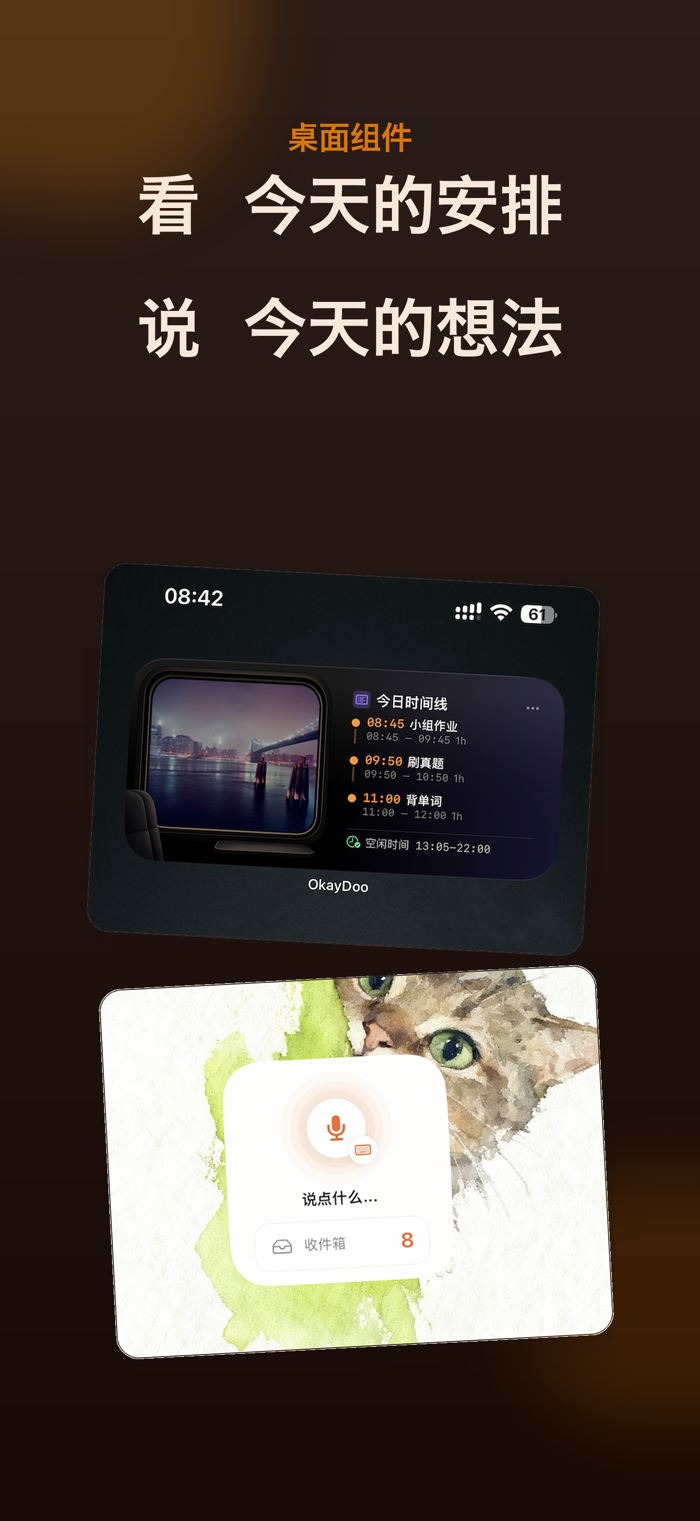
🎯The most thoughtful feature of OkayDoo is the iOS Dashboard:
📋 Other Feature Highlights:
📜 More Product Background:
The developer has used task management tools for over ten years, having used Doit.im, Things 3, OmniFocus, and TickTick. For the past nine years, they primarily used Mac and long-term OmniFocus, forming their own work habits, and never originally intended to build one themselves. Later, due to 'Black Myth: Wukong', they acquired a Windows PC; using Windows at home and MacBook at work, they began switching between two systems for a long time, only to realize that a workflow used for many years suddenly became cumbersome after changing computers. They re-tried some cross-platform products but never found one that perfectly matched their needs in cross-device support, depth of task management, and operation habits. Coincidentally, vibe coding was just starting to rise, and for the first time, they felt that the ideas accumulated over these years might truly have a chance to become reality. So, in 2026 year 3 month, they started building OKayDoo.
Cross-platform was the initial starting point. After actually developing it, the developer wanted to answer more deeply: which management actions are truly necessary, which are just habits formed from past software usage, and can tools handle more processing for us?
The biggest challenge during development actually came from the 'anything can be made quickly' feeling brought by vibe coding. Only when features multiplied did they truly feel that making a feature and making a good product are two completely different things. So, around the middle of 2026 year 4 month, they paused most new feature development, focusing instead on architecture, bugs, interactions, and relationships between different modules.
Future development will mainly follow three directions: First, make AI participate in daily workflows more accurately and naturally; Second, continue refining how to prioritize and start each day, and how to review after finishing; Third, continue improving the cross-device experience, including Android.
The developer hopes the feeling it brings is: everything has a place, and there is a clear direction for action ahead. Important matters are not lost, and you are moving forward. With this sense of certainty, you can work and live more peacefully.
13 enthusiasts have claimed
10.0 Rating 打开很简洁,需要的功能也基本都有,还可以AI辅助添加日程

10.0 Rating 页面干净,功能简洁、多样,设计方便。可以输入很长一段内容,让ai自动分解任务,已经马上就分享给朋友了。


 3 screenshots
8.0 Rating 功能有些出乎我的预期了。我随口写了几个长期需要提醒的和短期内需要重复的,它分类的比我快。而且惊喜的是,还有一个视角功能,感觉很有意思,我准备好好研究一下。最后有一个让我最疯狂心动的就是终身会员。遇到好用的,我就是希望是终身会员,一次付费,不存在被绑架的感觉。


 3 screenshots
9.0 Rating 挺好用的,忙的时候挺方便快捷,能腾出时间,做更多的事

9.0 Rating ui界面看着很舒服,期待添加更多ai功能,比如给他一个任务能帮我拆解做计划


 3 screenshots
Exclusive Giveaways in progress today 96 items. Keep browsing to see if the next one is what you're looking for.
 笔记日记

Discover the growth changes in your child's photos · Growth stories and a photo album of time
 笔记日记

Cherish the space and life memories
 摄影设计

Camera photos with GPS correction, relive your travel footprints, supports GPX
 专注习惯

Habits, To-Do Lists, Memos, and Countdowns
 效率办公

100% offline, no full access required
 效率办公

Cats accompany you to stay focused, using calendars and plans to manage time
 运动健康

Relaxing Woodfish and Piano | Watch Faces | Stress Alerts | Breathing Relaxation | Heart Rate & Blood Oxygen | Stress Relief
 专注习惯

Strictly reviewing every time you open a mobile application


🏷️ Natural Language Task Management / AI Auto-Organization / Cross-Platform To-Do + Calendar
✅ iPhone / iPad / Mac / Windows / Web
🇨🇳 Chinese Developer
📱OkayDoo Developer:"I created a task management app called OkayDoo. It aims to solve a problem I frequently encounter: although I record everything, every time I open the app, I still have to go through the list again and decide what to do first. So, I wanted OkayDoo to connect collection, organization, and execution. You can record all your tasks, and when it's time to work, narrow down the scope to only what truly needs your attention right now."
🎯The most thoughtful feature of OkayDoo is the iOS Dashboard:
📋 Other Feature Highlights:
📜 More Product Background:
The developer has used task management tools for over ten years, having used Doit.im, Things 3, OmniFocus, and TickTick. For the past nine years, they primarily used Mac and long-term OmniFocus, forming their own work habits, and never originally intended to build one themselves. Later, due to 'Black Myth: Wukong', they acquired a Windows PC; using Windows at home and MacBook at work, they began switching between two systems for a long time, only to realize that a workflow used for many years suddenly became cumbersome after changing computers. They re-tried some cross-platform products but never found one that perfectly matched their needs in cross-device support, depth of task management, and operation habits. Coincidentally, vibe coding was just starting to rise, and for the first time, they felt that the ideas accumulated over these years might truly have a chance to become reality. So, in 2026 year 3 month, they started building OKayDoo.
Cross-platform was the initial starting point. After actually developing it, the developer wanted to answer more deeply: which management actions are truly necessary, which are just habits formed from past software usage, and can tools handle more processing for us?
The biggest challenge during development actually came from the 'anything can be made quickly' feeling brought by vibe coding. Only when features multiplied did they truly feel that making a feature and making a good product are two completely different things. So, around the middle of 2026 year 4 month, they paused most new feature development, focusing instead on architecture, bugs, interactions, and relationships between different modules.
Future development will mainly follow three directions: First, make AI participate in daily workflows more accurately and naturally; Second, continue refining how to prioritize and start each day, and how to review after finishing; Third, continue improving the cross-device experience, including Android.
The developer hopes the feeling it brings is: everything has a place, and there is a clear direction for action ahead. Important matters are not lost, and you are moving forward. With this sense of certainty, you can work and live more peacefully.

10.0 Rating 打开很简洁,需要的功能也基本都有,还可以AI辅助添加日程

10.0 Rating 页面干净,功能简洁、多样,设计方便。可以输入很长一段内容,让ai自动分解任务,已经马上就分享给朋友了。
3 screenshots

8.0 Rating 功能有些出乎我的预期了。我随口写了几个长期需要提醒的和短期内需要重复的,它分类的比我快。而且惊喜的是,还有一个视角功能,感觉很有意思,我准备好好研究一下。最后有一个让我最疯狂心动的就是终身会员。遇到好用的,我就是希望是终身会员,一次付费,不存在被绑架的感觉。
3 screenshots
Exclusive Giveaways in progress today 96 items. Keep browsing to see if the next one is what you're looking for.
Copy the code below and send it in the Mergeek WeChat Official Account chat box
to check the activity status,Claim Redemption Code。

Your activity participation record has been saved. You can return to the Official Account to continue checking the redemption status.
Okaydoo Oka
0 Gems
--
--
The redemption code will be sent via the Mergeek WeChat official account.
We recommend pinning the 「Mergeek」 WeChat official account and ensuring message notifications are not muted, so you can receive redemption code alerts promptly.
You can also check the current status in the 'Personal Center'.
--
Please scan the QR code within 24 hours to visit the Mergeek WeChat official account and send the code to check the activity status.
Some app store links cannot be opened directly within the mini program. Please long-press and scan the QR code below, go to the Mergeek WeChat official account, and automatically obtain the download link for this product.
More convenient on mobile