

196 Days|Aye: The AI browser that can click, type, and truly work for you
🏷️ AI Browser / Web Workflow Assistant / Automated Agent
✅ Mac / Windows
🇨🇳 Chinese Developer
💻 Convenient Download for Desktop
⏬ Mac
⏬ Windows
📱 "Aye" Developer: "Aye is an AI-based browser built on the Chromium kernel. We didn't create it to replace Chrome, but rather to provide users with an 'AI intern' for their daily web workflows. Many tasks occur within web pages, such as maintaining forum comments, organizing information, publishing articles on WeChat Official Accounts or Xiaohongshu, and collecting information across multiple pages.Aye 's goal is to allow users to teach these repetitive processes to an AI Agent, enabling it to complete them step-by-step directly within the browser.'
🎯 "Aye"'s most crafted feature is "having AI work via browser actions":
- Breaking chatbox limitations: It doesn't just answer questions; it plans steps around your goals, reads the current page directly, and clicks, types, scrolls, and switches tabs when necessary, working on webpages likea real person.
- Unique skill accumulation: Users can "teach" high-frequency repetitive processes (such as operational checks, data collection) to Aye, accumulating them as exclusive skills for subsequentone-click automatic executionof similar tasks.
- High sense of security through control:Aye maintains clear boundaries. Before performing form submissions, logins, sensitive operations, or high-risk actions, it proactively pauses to wait for user confirmation,absolutely avoiding uncontrollable "automated black boxes".
📋 Other Feature Highlights:
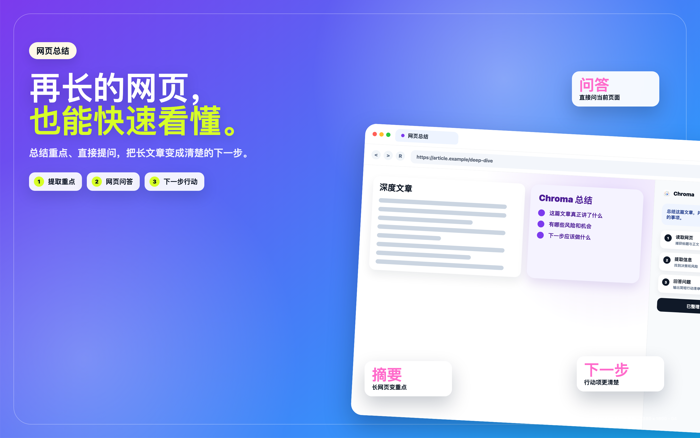
- Out-of-the-box high-frequency toolbox: Built-in powerful features support one-click summarization of webpages and long articles, asking questions directly about the current page, collecting and organizing scattered research materials across tabs, and intelligently filtering page distractions.
- Perfect daily copywriting and operational assistance: Seamlessly assists in drafting emails, forum comments, and replies, and provides deep support for content publishing workflows on self-media platforms like WeChat Official Accounts and Xiaohongshu.
- Smooth native Chromium experience: Built on the Google Chrome kernel, it inherits the speed, compatibility, and tab experience users are most accustomed to, allowing AI to integrate perfectly into your existing browsing habits—handy without being flashy.
📜 More Product Background: The product's inspiration stems from the developer's extremely frequent real-world collaboration experiences. In daily work, a lot of effort is spent on switching between tabs, consolidating information, and copying/confirming data across platforms; these are essentially "teachable and reusable" processes.
Currently, the developer has been deeply using Aye for testing and working for nearly a month, using it to maintain user forums and post daily on social media. In the future,Aye plans to continue strengthening three core directions: enhancing closed-loop task capabilities for "reading, organizing, operating, and reporting"; providing more natural context and intent understanding; and building clearer safety control mechanisms, making it truly the browser core assistant that best understands your workflow.